故障排除移动设备上的 Web 推送通知

This comprehensive guide is designed to provide you with step-by-step troubleshooting assistance if you have subscribed to push notifications but are not receiving any of the campaigns on your mobile devices.

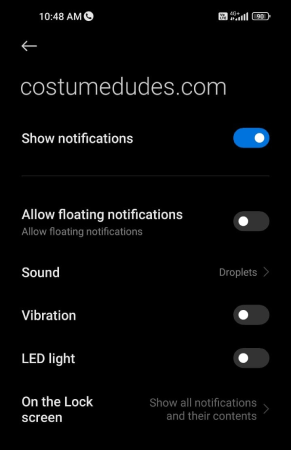
In many situations, you might notice that notifications aren’t coming through on your mobile device. To troubleshoot this, check if notifications are set to “allow.”

Settings may differ between Android and iPhone. If you are allowed notifications on Android but still don’t receive them, you may need to unsubscribe and then resubscribe by following the steps below.

Troubleshooting for Android Devices

Steps to resubscribe

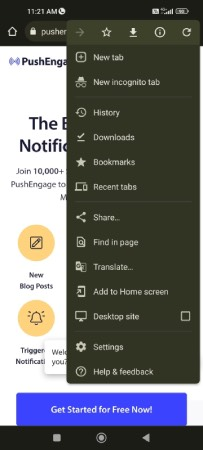
You can unsubscribe from Chrome notifications on Android through the info menu. Simply visit the site you wish to unsubscribe from, then tap the menu icon (⋮) in the top right corner.

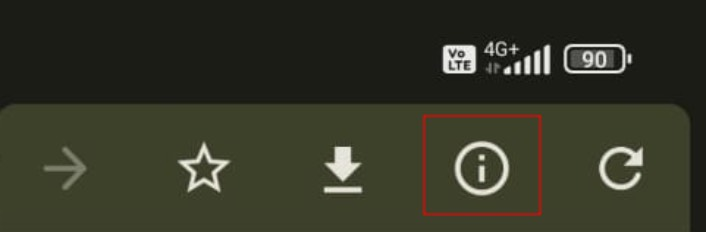
Click on the i icon at the very top of the menu to view the site information:

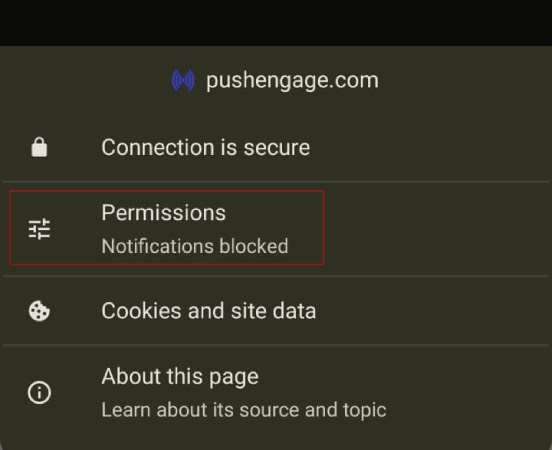
Click on Permissions:

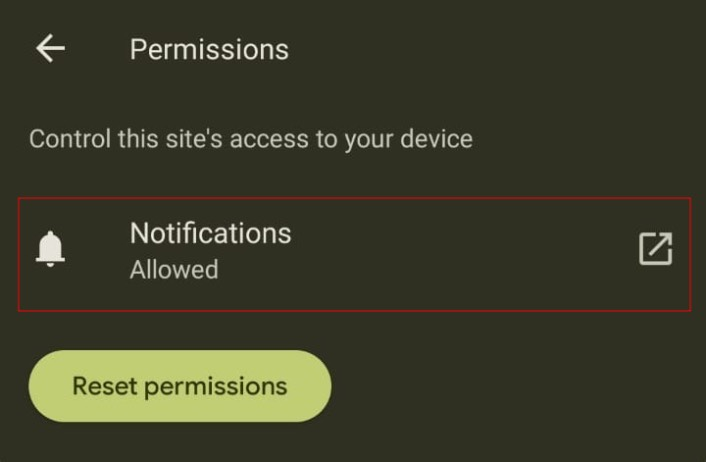
Then, click on Notifications:

最后,使用切换按钮取消订阅通知:

After unsubscribing, you will need to resubscribe as well.

You can reload the page or flush the cache, and you should see a popup prompting you to subscribe again. This will allow you to re-enable notifications for that site.

Troubleshooting for iOS Devices

Notifications not appearing or unable to see the popup

Apple has launched iOS and iPadOS 16.4, introducing support for web push notifications for web apps added to the Home Screen on iPhone and iPad devices. So many times, if you have only completed the installation and are testing on an iPhone, you might not see the popup appear for a subscription.

To enable the collection of subscribers, users must first add your website to their Home Screen and then open the web app by tapping its icon. The web app will operate like a native app, opening independently of the browser. Users can then grant permission to receive push notifications and manage these settings in the Notifications section, just as they would for any other app on their iPhone or iPad. Here is a detailed guide that helps you understand how to enable web push on your iOS devices.

如果您遇到任何问题,请 联系我们 。我们的支持团队将能够帮助您。

仍然卡住了?我们能帮您什么?
最后更新于 2026 年 3 月 9 日

在访客离开您的网站后与他们互动并挽留他们

通过难以忽略的推送通知,增加每次网站访问的价值。

  • 永久免费套餐
  • 轻松设置
  • 五星支持