注意:此项目没有可用的旧版文档,因此您看到的是当前文档。
Yes, you can switch from Paypal to Credit card billing. If you have been paying us through Paypal but instead want to start paying through the credit card option as it will make the process more convenient with a recurring billing option.
You can do so by going through the below steps –
1. You can send an email to us at [email protected] for cancelling the Paypal invoices scheduled.
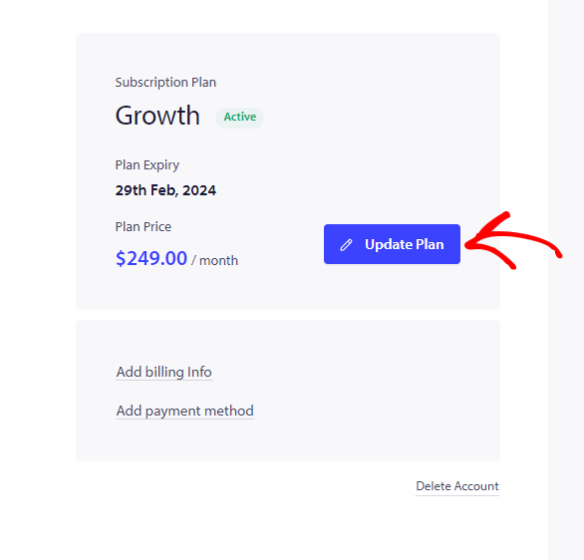
2. Navigate to the top right corner of the Dashboard. Click on your Account name and move to My Billing Option » Click on Update Plan

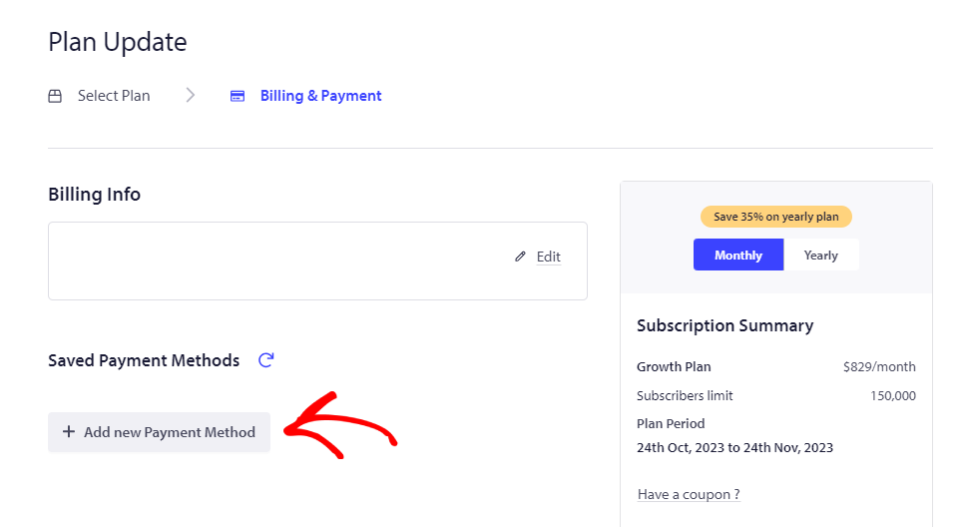
3. Choose the plan that you had within PayPal. Later, you can then move to the Update Billing & Payment tab

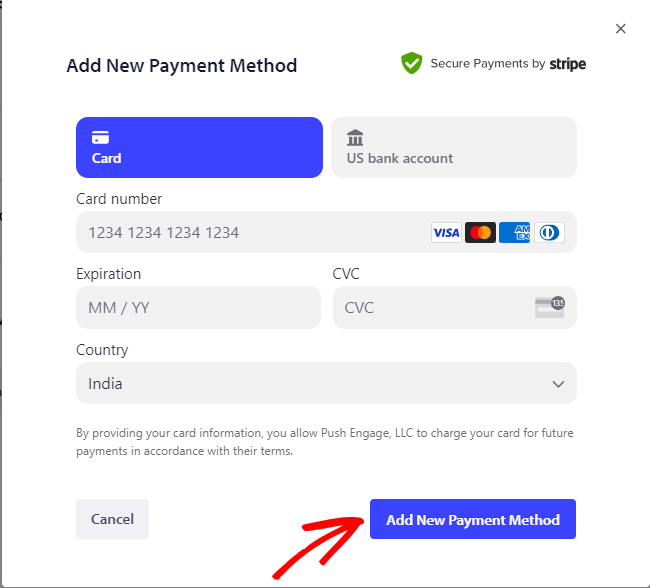
4. Add the details of the credit card and click on ‘Add New Payment Method’.

Complete the next steps & check out. Your account is now on Credit card payment mode.
如果您遇到任何问题,请随时通过单击此处 联系我们。我们的支持团队将能够为您提供帮助