Τι είναι τα μηνύματα push;
Τα μηνύματα push είναι σύντομα, κλικαρίσιμα μηνύματα που παραδίδονται στη συσκευή ενός συνδρομητή, ακόμα και όταν είναι εκτός σύνδεσης. Μπορείτε εύκολα να στείλετε οποιονδήποτε σύνδεσμο για να προωθήσετε οποιοδήποτε μέρος της επιχείρησής σας χρησιμοποιώντας μηνύματα push από έναν απλό, εύχρηστο πίνακα ελέγχου.
Το πιο απίστευτο κομμάτι είναι αυτό: Τα μηνύματα push είναι ένας εξαιρετικά εύκολος τρόπος για να έχετε επαναλαμβανόμενους επισκέπτες στον ιστότοπό σας αυτόματα, ακόμα κι αν…
- Ξεκινάτε τώρα και η βάση των θαυμαστών σας είναι ακόμα μικρή
- Ακόμα κι αν… διαχειρίζεστε ένα κατάστημα ηλεκτρονικού εμπορίου με εκατοντάδες προσφορές κάθε μήνα
- Ακόμα κι αν… έχετε ένα τεράστιο blog που ήδη παράγει πολύ οργανική επισκεψιμότητα
Σε αυτό το άρθρο, θα σας δείξουμε πώς να έχετε άμεσα επαναλαμβανόμενους επισκέπτες κάθε φορά που δημοσιεύετε:

Μπορείτε να ξεκινήσετε δωρεάν αυτή τη στιγμή. Μόλις αρχίσετε να βλέπετε αποτελέσματα από ένα δωρεάν λογισμικό ειδοποιήσεων push, μπορείτε να αλλάξετε ή να αναβαθμίσετε για να αποκτήσετε περισσότερες λειτουργίες που θα σας βοηθήσουν να αναπτυχθείτε ταχύτερα.
Πρώτα, ας κατανοήσουμε λίγο περισσότερα για τα μηνύματα push και πώς λειτουργούν.
Τι Είναι τα Μηνύματα Push;
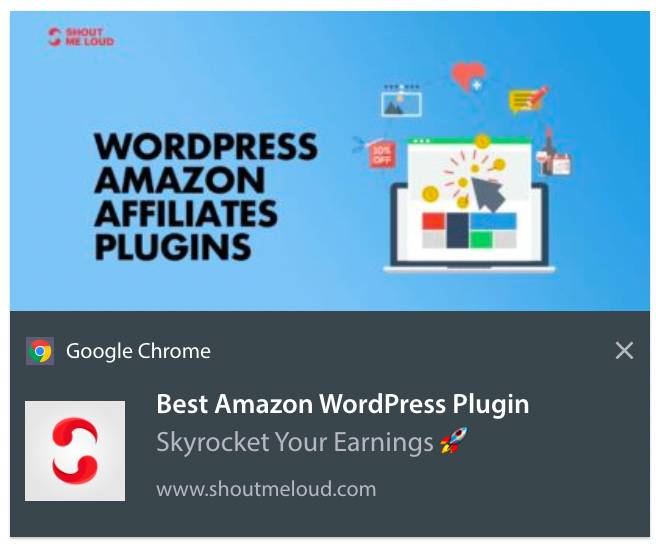
Ένα μήνυμα push είναι ένα σύντομο, κλικαρίσιμο αναδυόμενο παράθυρο που μπορείτε να στείλετε σε έναν συνδρομητή για να προωθήσετε προσφορές και άλλο περιεχόμενο:
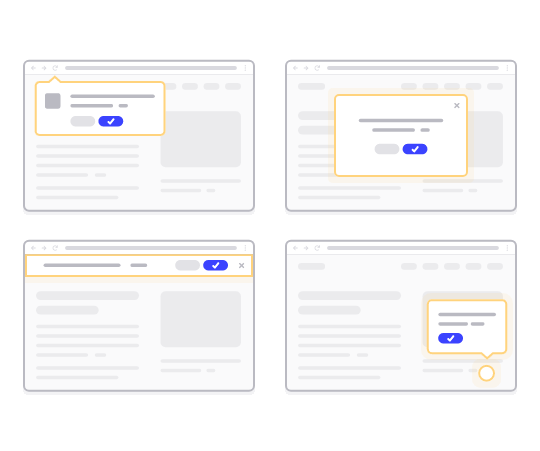
Το καλύτερο είναι ότι τα μηνύματα θα παραδοθούν ακόμα κι αν ο συνδρομητής σας δεν χρησιμοποιεί πρόγραμμα περιήγησης. Είναι σαν μια μαζική αποστολή email, αλλά με ένα μήνυμα web push, οι συνδρομητές σας δεν χρειάζεται να χρησιμοποιούν μια εφαρμογή για να δουν το μήνυμά σας. Και σε αντίθεση με τους ιστότοπους κοινωνικής δικτύωσης, δεν υπάρχει αλγόριθμος που να μειώνει την εμβέλειά σας για να σας αναγκάσει να πληρώσετε για διαφημίσεις.
Το πιο εντυπωσιακό με τα μηνύματα web push είναι ότι μπορείτε να τα χρησιμοποιήσετε για να συμπληρώσετε τα lead magnets και τις φόρμες εγγραφής email σας.
Συνιστούμε να χρησιμοποιήσετε το PushEngage για να ξεκινήσετε με τα μηνύματα push δωρεάν. Το απλούστερο μήνυμα push που μπορείτε να στείλετε δωρεάν είναι ένα μήνυμα push RSS. Σε ένα push RSS, κάθε φορά που δημοσιεύετε μια ανάρτηση ιστολογίου, το PushEngage στέλνει αυτόματα ένα μήνυμα εκπομπής σε όλους τους συνδρομητές σας.
Πώς να Προσθέσετε Μηνύματα Push στον Ιστότοπό σας
Πριν ξεκινήσετε με καμπάνιες μηνυμάτων push, θα πρέπει να αποκτήσετε μια υπηρεσία για την αποστολή μηνυμάτων push.
Σας συνιστούμε να ξεκινήσετε με το PushEngage. Το PushEngage είναι ένα από τα καλύτερα πρόσθετα ειδοποιήσεων push για το WordPress. Φτάνετε άμεσα έως και 200 συνδρομητές μόνο με το δωρεάν επίπεδο. Εάν ο ιστότοπός σας αυξηθεί σε περισσότερους από 200 συνδρομητές, μπορείτε να κλιμακώσετε γρήγορα αναβαθμίζοντας το πρόγραμμά σας.
Ας δούμε πώς μπορείτε να χρησιμοποιήσετε τη δωρεάν έκδοση του PushEngage για να ξεκινήσετε την αποστολή μηνυμάτων push.
Βήμα #1: Δημιουργήστε έναν Δωρεάν Λογαριασμό PushEngage
Μεταβείτε στο PushEngage και κάντε κλικ στο Έναρξη:

Στη συνέχεια, επιλέξτε το πρόγραμμα για τον λογαριασμό σας στο PushEngage. Μπορείτε να ξεκινήσετε δωρεάν, αλλά αν θέλετε σοβαρά να αναπτύξετε την επιχείρησή σας, συνιστούμε να αποκτήσετε ένα επί πληρωμή πρόγραμμα για να ξεκλειδώσετε πιο προηγμένες καμπάνιες.
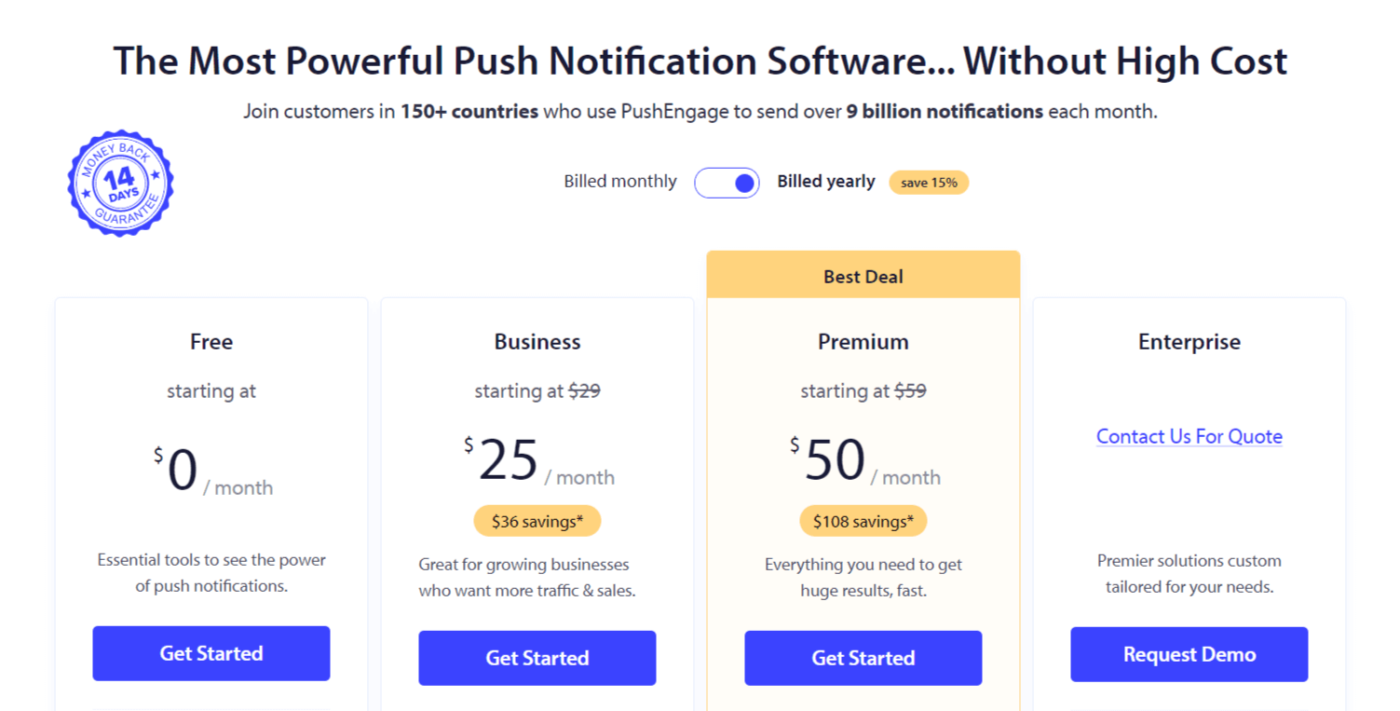
Βήμα #2: Εγγραφείτε στο PushEngage
Εγγραφείτε για το πρόσθετο με τα στοιχεία χρήστη σας ή το αναγνωριστικό Gmail ή το email και τον κωδικό πρόσβασής σας:
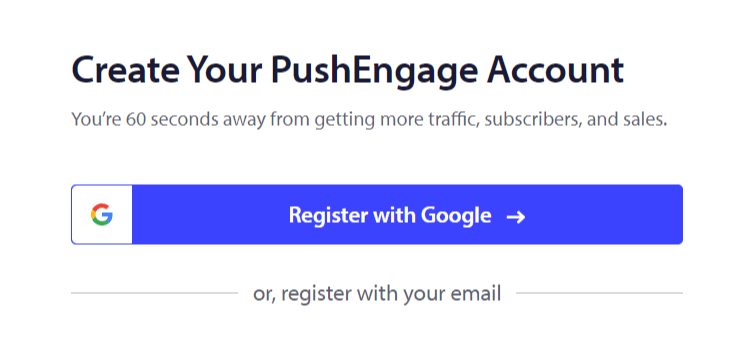
Και απλώς ακολουθήστε τις οδηγίες και ολοκληρώστε τη ρύθμιση του λογαριασμού σας.
Βήμα #3: Εγκαταστήστε το PushEngage στον Ιστότοπό σας
Μόλις εγγραφείτε, θα μεταφερθείτε στον πίνακα ελέγχου του PushEngage:
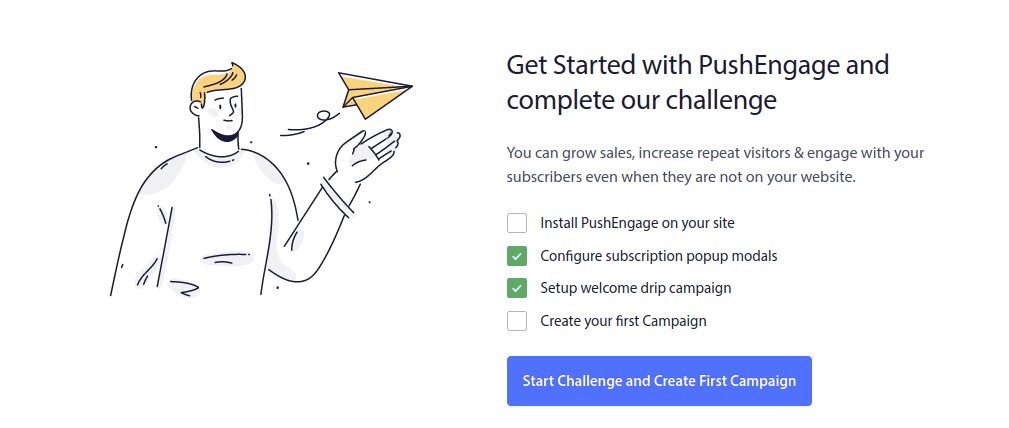
Η διαδικασία για την προσθήκη μηνυμάτων push στον ιστότοπό σας διαφέρει για διαφορετικές πλατφόρμες. Έτσι, έχουμε δημιουργήσει λεπτομερείς, βήμα προς βήμα οδηγούς για τις πιο δημοφιλείς πλατφόρμες για εσάς:
- Εγκατάσταση ειδοποιήσεων push στο WordPress
- Εγκατάσταση ειδοποιήσεων push στο WordPress (χωρίς plugin)
- Εγκατάσταση ειδοποιήσεων push στο WooCommerce
- Εγκατάσταση ειδοποιήσεων push στο Wix
- Εγκατάσταση ειδοποιήσεων push στο Blogger
- Εγκατάσταση ειδοποιήσεων push στο Zoho
- Εγκατάσταση ειδοποιήσεων push στο Volusion
- Εγκατάσταση ειδοποιήσεων push στο Weebly
- Εγκατάσταση ειδοποιήσεων push στο ClickFunnels
- Εγκατάσταση ειδοποιήσεων push στο PrestaShop
- Εγκατάσταση ειδοποιήσεων push στο OpenCart
- Εγκαταστήστε ειδοποιήσεις push στο CS-Cart
- Εγκαταστήστε ειδοποιήσεις push στο Drupal
- Εγκαταστήστε ειδοποιήσεις push στο Squarespace
- Εγκαταστήστε ειδοποιήσεις push στο X-Cart
- Εγκαταστήστε ειδοποιήσεις push στο BigCommerce
- Εγκαταστήστε ειδοποιήσεις push στο Jimdo
Βήμα #4: Ρυθμίστε το PushEngage Opt-In
Μόλις ολοκληρώσετε την εγκατάσταση του PushEngage στον ιστότοπό σας, επιστρέψτε στον πίνακα ελέγχου του PushEngage και μεταβείτε στο Σχεδίαση » Popup Modals και επιλέξτε ένα optin για τη συλλογή συνδρομητών:
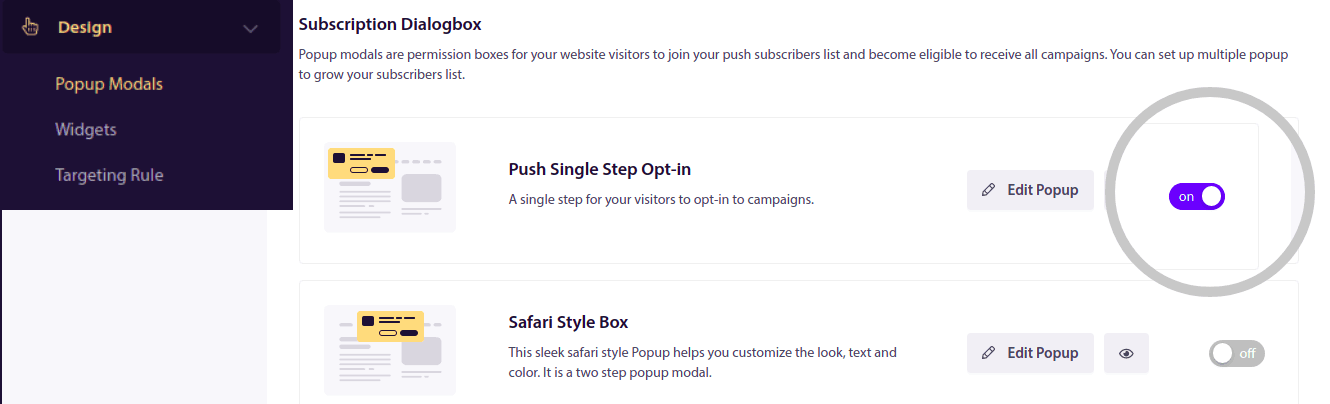
Από εδώ, μπορείτε να προσαρμόσετε την εγγραφή σας για ειδοποιήσεις push. Αν χρειάζεστε βοήθεια με αυτό, θα πρέπει να διαβάσετε αυτό το άρθρο σχετικά με το πώς να δημιουργήσετε μια προσαρμοσμένη εγγραφή για ειδοποιήσεις push.
Αν χρειάζεστε έμπνευση, μπορείτε να δείτε αυτό το άρθρο σχετικά με opt-ins ειδοποιήσεων push υψηλής μετατροπής.
Θυμηθείτε: Πρέπει να εγκαταστήσετε ένα πιστοποιητικό SSL στον ιστότοπό σας για να μπορείτε να χρησιμοποιείτε single opt-ins. Αλλά μπορείτε να εγκαταστήσετε two-step opt-ins ακόμα και χωρίς ασφαλή ιστότοπο. Έτσι, αν έχετε εγκατεστημένο πιστοποιητικό SSL, χρησιμοποιήστε single opt-ins. Αν όχι, δείτε αυτό το άρθρο σχετικά με το πώς να εγκαταστήσετε ένα πιστοποιητικό SSL σε ιστότοπους WordPress.
Και αυτό ήταν!
Έχετε ρυθμίσει επιτυχώς μηνύματα push στον ιστότοπό σας.
Πώς Λειτουργούν τα Μηνύματα Push;
Ας δούμε πώς λειτουργούν τα μηνύματα push.
Η σύντομη εκδοχή είναι ότι κάθε φορά που ένας νέος επισκέπτης εισέρχεται στον ιστότοπό σας, του ζητείται να γίνει συνδρομητής ειδοποιήσεων push.
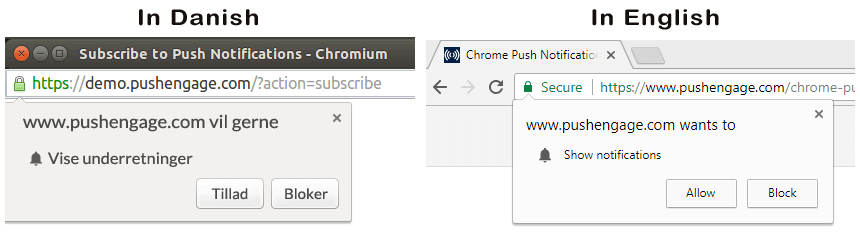
Στη συνέχεια, χρησιμοποιείτε μια υπηρεσία ειδοποιήσεων web push όπως το PushEngage για να δημιουργήσετε και να προγραμματίσετε τα μηνύματα που θέλετε να στείλετε στους συνδρομητές σας. Μπορείτε είτε να στείλετε ένα μεμονωμένο μήνυμα push χειροκίνητα είτε να ρυθμίσετε μια αυτοματοποιημένη ακολουθία μηνυμάτων push:
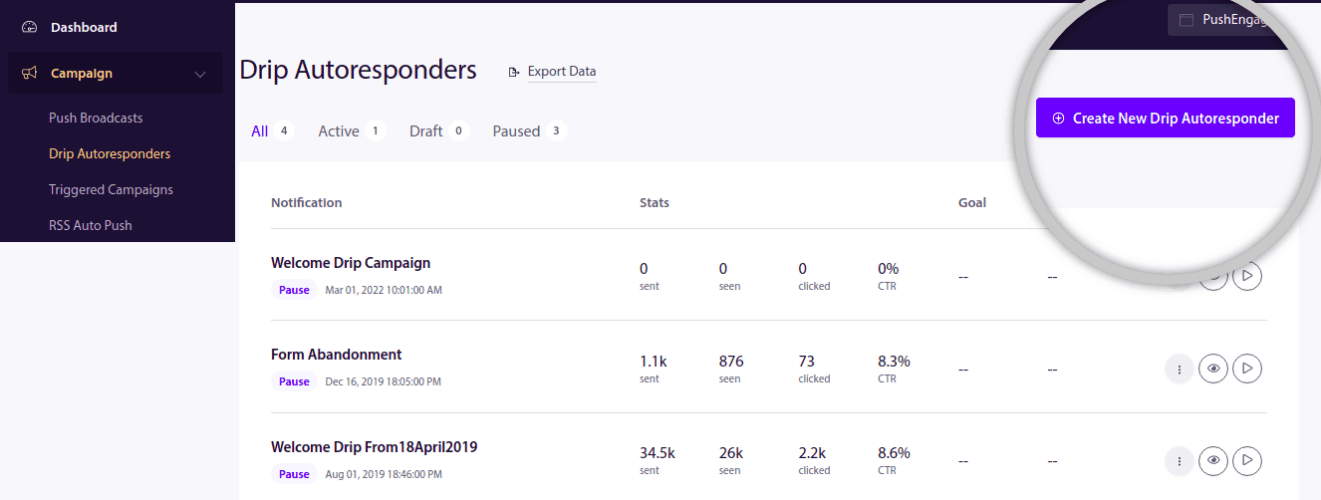
Επίσης, μπορείτε να επιλέξετε να το στείλετε σε όλους τους συνδρομητές στη λίστα σας ή σε συγκεκριμένα τμήματα των συνδρομητών σας. Τέλος, οι συνδρομητές σας λαμβάνουν τα μηνύματά σας όταν η συσκευή τους συνδέεται στο διαδίκτυο και εκτελούν την προτεινόμενη ενέργεια.
Για το PushEngage και τους διακομιστές μας, οι συνδρομητές σας είναι ένας μοναδικός αριθμός κατακερματισμού που δημιουργείται με βάση τη συσκευή και το πρόγραμμα περιήγησης του συνδρομητή σας. Επιπλέον, ο διακομιστής μπορεί επίσης να αποθηκεύσει τη γεωγραφική θέση των συνδρομητών σας. Δεν αποθηκεύονται προσωπικά ή αναγνωριστικά στοιχεία για κανέναν από τους συνδρομητές σας.
Η ομορφιά όλων αυτών είναι ότι δεν χρειάζεται να γνωρίζετε τίποτα για τον κώδικα ή πώς να συντηρείτε τους αρχικούς διακομιστές. Εμείς αναλαμβάνουμε τα πάντα για εσάς. Το μόνο που χρειάζεται να ανησυχείτε είναι η ρύθμιση των καμπανιών σας και η απόκτηση κέρδους!
Μέχρι τώρα, πιθανότατα αναρωτιέστε πώς λειτουργούν τα εξατομικευμένα μηνύματα push εάν οι διακομιστές αποθηκεύουν μόνο έναν αριθμό κατακερματισμού και όχι προσωπικές λεπτομέρειες. Εδώ έρχεται σε παιχνίδι το API του παρόχου υπηρεσιών. Για εσάς, αυτό θα ήταν το PushEngage Javascript API. Μπορείτε να χρησιμοποιήσετε αυτό το API και να το συνδέσετε με οποιοδήποτε άλλο CRM ή βάση δεδομένων έχετε.
Αυτό σας επιτρέπει να χρησιμοποιήσετε τα προσωπικά στοιχεία των συνδρομητών σας για να τους στείλετε εξατομικευμένα μηνύματα push όπως αυτό:

Μπορείτε επίσης να στείλετε προηγμένες καμπάνιες eCommerce όπως καμπάνιες εγκατάλειψης καλαθιού χωρίς να χρησιμοποιήσετε το PushEngage API.

Τι ακολουθεί;
Αυτό ήταν για αυτό.
Αν μόλις ξεκινάτε με τα μηνύματα push, δείτε πώς να δημιουργήσετε το πρώτο σας μήνυμα καλωσορίσματος χρησιμοποιώντας το PushEngage. Ένα μήνυμα καλωσορίσματος είναι ιδανικό για την επανενεργοποίηση και την προσέλκυση επαναλαμβανόμενων επισκεπτών στον ιστότοπό σας.
Πιστεύετε ότι είναι δύσκολο να βρείτε ιδέες για καμπάνιες; Δείτε αυτούς τους καταπληκτικούς πόρους:
- 75 Επικά Παραδείγματα Ειδοποιήσεων Push που Μπορείτε να Κλέψετε Τώρα
- Πώς να χρησιμοποιήσετε μηνύματα push εγκατάλειψης φόρμας για να ανακτήσετε χαμένα leads
- Πώς να στείλετε εξατομικευμένες ειδοποιήσεις push με χαρακτηριστικά Drip
- 10 Παραδείγματα καταστημάτων eCommerce που χρησιμοποιούν καλά τις ειδοποιήσεις push
- 8 Εξατομικευμένες Ειδοποιήσεις Push που Λειτουργούν [Με Βάση Δεδομένα]
Και αν δεν το έχετε κάνει ήδη, ξεκινήστε με το PushEngage σήμερα!


