Το PushEngage σάς επιτρέπει να στέλνετε ειδοποιήσεις σε μεμονωμένους συνδρομητές ή σε μια ομάδα συνδρομητών. Μπορείτε να επιλέξετε το σχετικό κοινό στο οποίο θέλετε να στείλετε τη μαζική ειδοποίηση και να κάνετε κλικ στο κουμπί Αποστολή.
Για να στείλετε μαζικές ειδοποιήσεις σε μια συγκεκριμένη ομάδα συνδρομητών, μπορείτε να μεταβείτε στο Εκστρατεία > Μαζικές Ειδοποιήσεις > Δημιουργία Νέας Μαζικής Ειδοποίησης. Εισαγάγετε τον τίτλο, το μήνυμα, τη διεύθυνση URL και την εικόνα της ειδοποίησης. Στη συνέχεια, επιλέξτε την καρτέλα Κοινό και επιλέξτε την επιλογή, “Αποστολή σε Συγκεκριμένη Ομάδα Κοινού.”
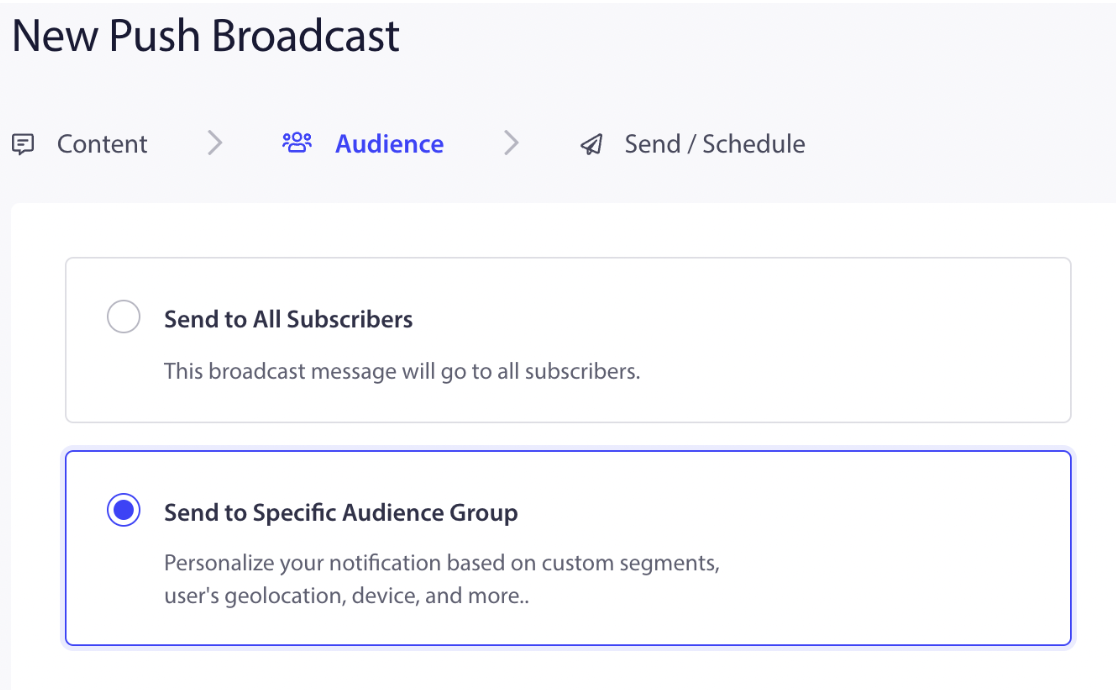
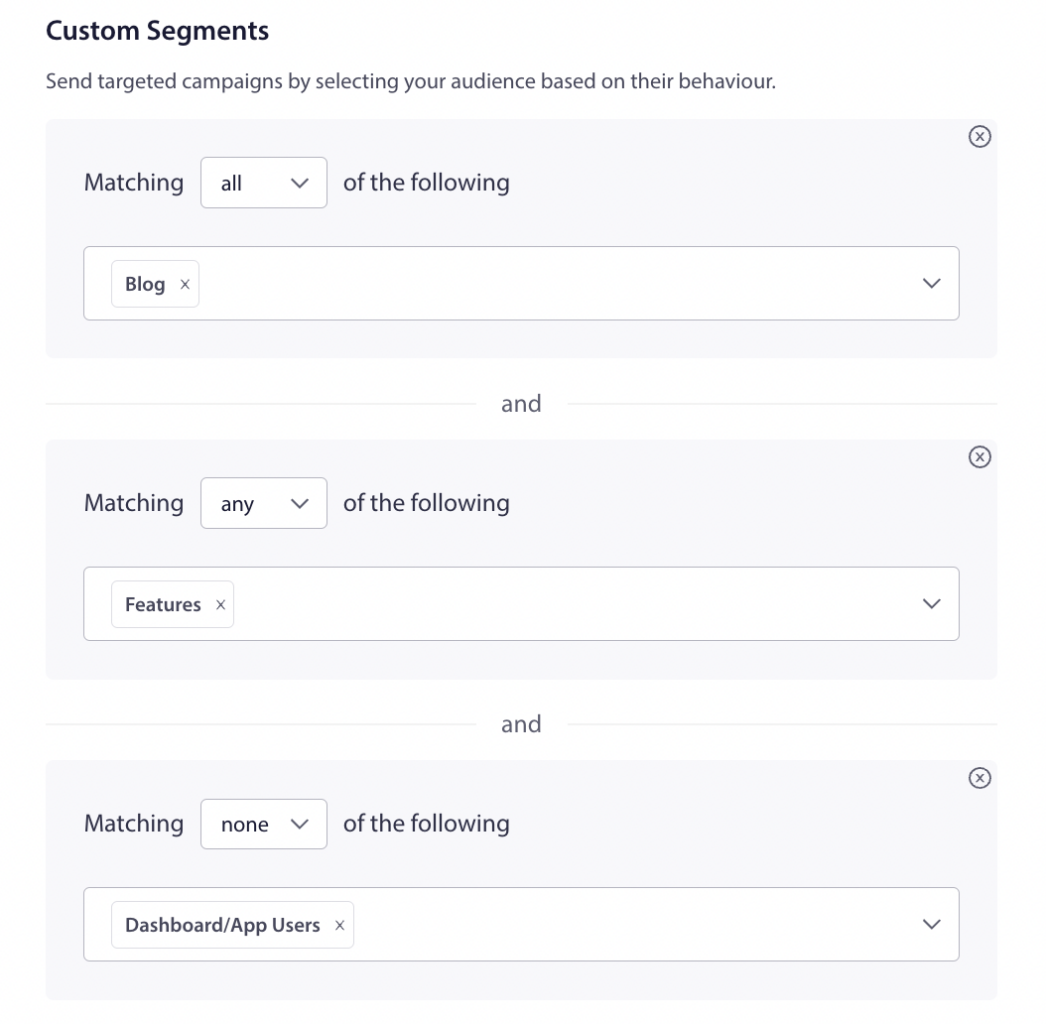
Κάντε κύλιση προς τα κάτω στις Προσαρμοσμένες Κατηγορίες και στείλτε στοχευμένες εκστρατείες επιλέγοντας το κοινό σας με βάση τη συμπεριφορά του. Μπορείτε να επιλέξετε τον κανόνα Και, Ή, συμπερίληψη και εξαίρεση για να στείλετε τη μαζική ειδοποίηση σε ένα συγκεκριμένο κοινό.
Ένας συνδρομητής μπορεί να προστεθεί σε πολλαπλές κατηγορίες. Οι Κατηγορίες μπορούν να επιλεγούν σε μια σειρά συνδυασμών ΟΛΑ ή ΚΑΝΕΝΑ με βάση την περίπτωσή σας. Μπορείτε να δείτε τον αριθμό των συνδρομητών που εμπίπτουν στις καθορισμένες συνθήκες κάνοντας κλικ στο Ανανέωση Αριθμού στα δεξιά του πίνακα ελέγχου. Αν επιλέξετε Όλα, υποδεικνύει συμπερίληψη της κατηγορίας, και Κανένα είναι εξαίρεση κατηγορίας.
Μπορείτε επίσης να στοχεύσετε άτομα με βάση τη Χώρα, τη Συσκευή και τα προγράμματα περιήγησης. Αυτές είναι όλες οι προεπιλεγμένες κατηγορίες τμηματοποίησης που είναι διαθέσιμες με το PushEngage.
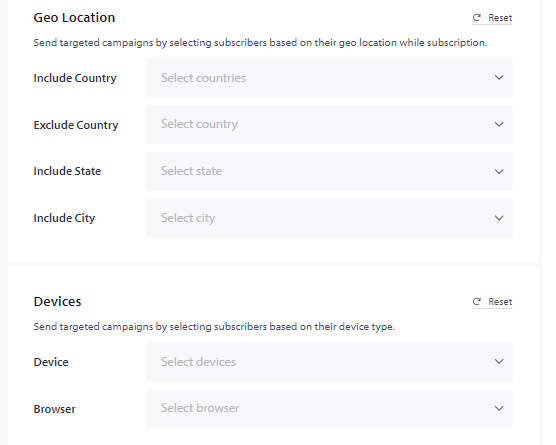
Μπορείτε να επιλέξετε από την αναπτυσσόμενη λίστα, καθώς δεν χρειάζεται να ανησυχείτε για την τοποθέτησή τους σε αυτές τις κατηγορίες, καθώς προστίθενται αμέσως μόλις οι επισκέπτες εγγραφούν στις εκστρατείες ειδοποιήσεών σας.
Σε περίπτωση που αντιμετωπίσετε οποιοδήποτε πρόβλημα, μη διστάσετε να επικοινωνήσετε μαζί μας κάνοντας κλικ εδώ. Η ομάδα υποστήριξής μας θα μπορέσει να σας βοηθήσει.