Μπορείτε να ενσωματώσετε τις Ειδοποιήσεις Push μέσω προγράμματος περιήγησης στον ιστότοπό σας Weebly χρησιμοποιώντας το PushEngage σε πέντε απλά βήματα:
1) Μεταβείτε στο PushEngage και εγγραφείτε. Εάν έχετε ήδη λογαριασμό, παρακαλώ συνδεθείτε χρησιμοποιώντας αυτόν τον σύνδεσμο.
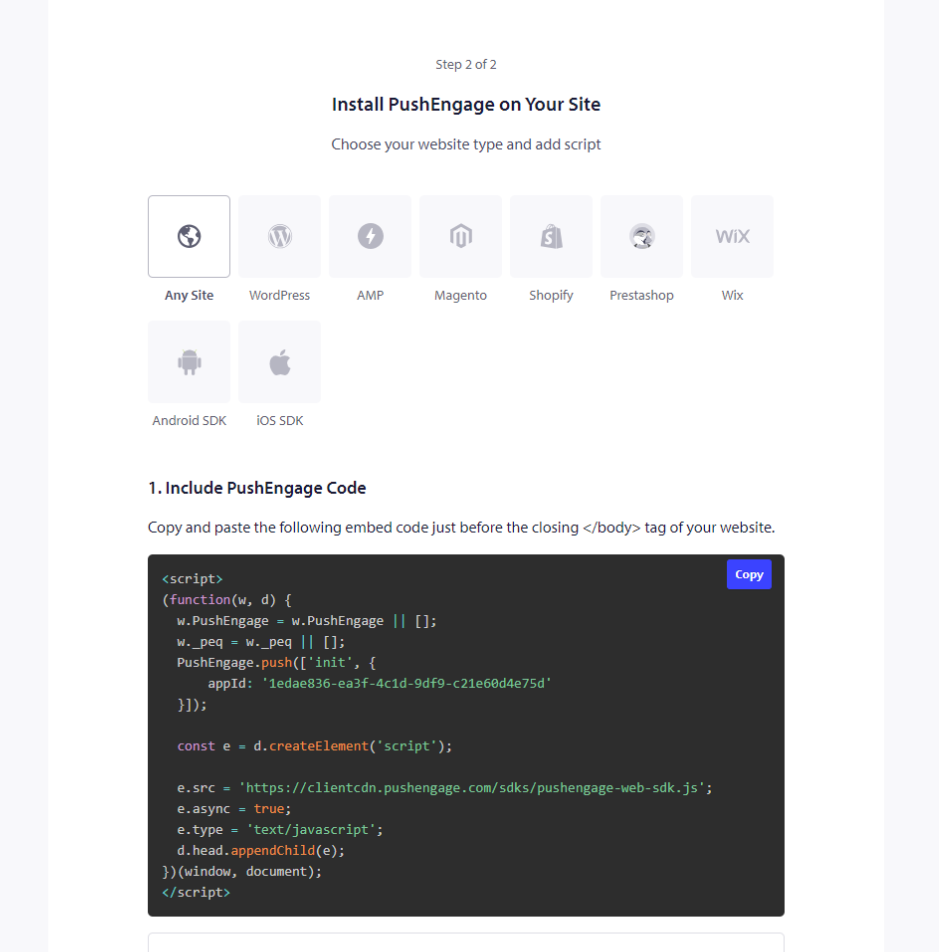
2) Πρέπει να λάβετε τον κωδικό εγκατάστασης του PushEngage που πρέπει να προστεθεί στον ιστότοπό σας. Παρακάτω είναι ο κώδικας javascript του PushEngage που πρέπει να προσθέσετε στον ιστότοπό σας Weebly. Ρυθμίσεις Ιστότοπου » Λεπτομέρειες Ιστότοπου » Κάντε κύλιση προς τα κάτω στην ενότητα ‘Κάντε κλικ εδώ για Οδηγίες Εγκατάστασης‘. Επιλέξτε Οποιονδήποτε Ιστότοπο
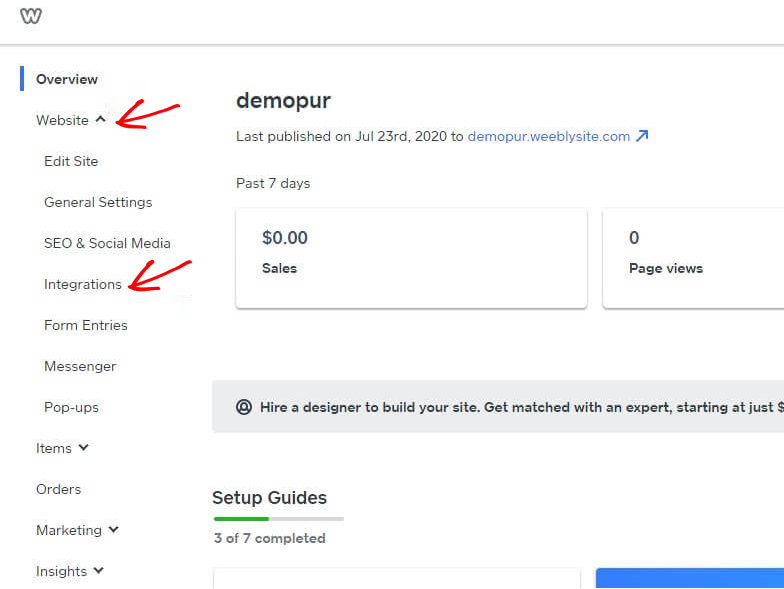
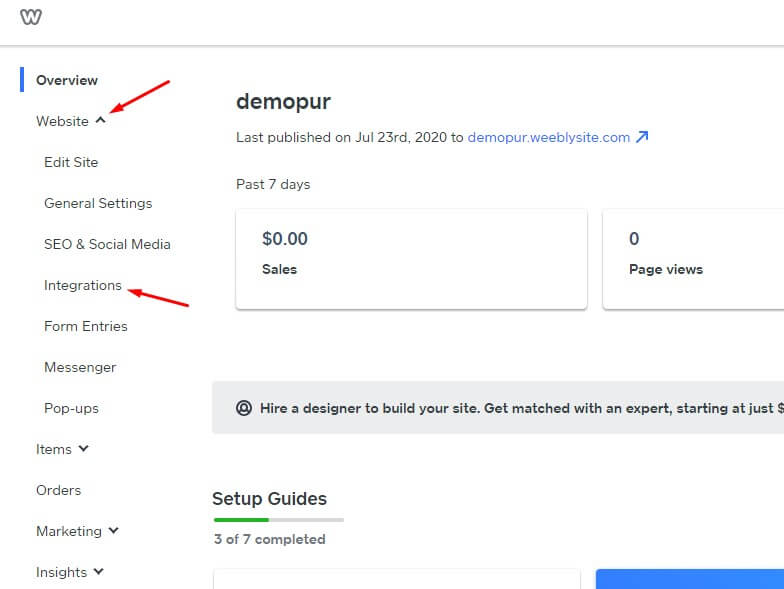
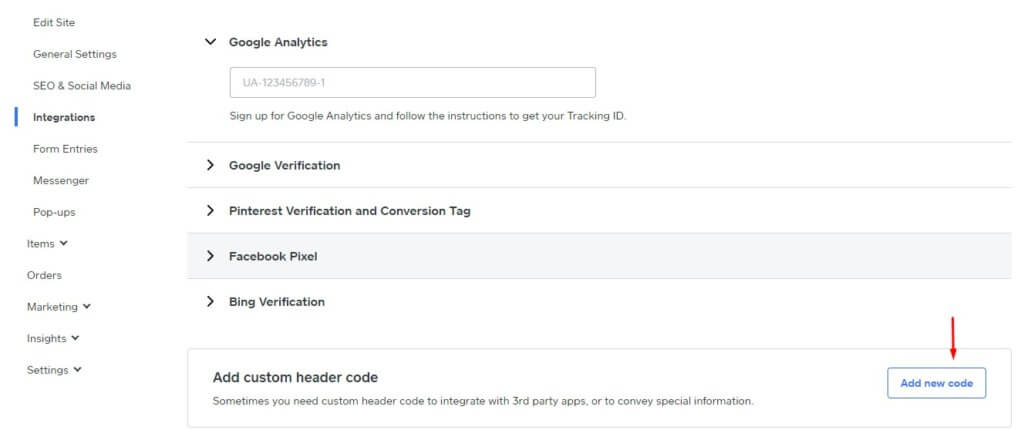
3) Συνδεθείτε στον πίνακα ελέγχου του Weebly και επιλέξτε Ιστότοπος » Ενσωματώσεις.
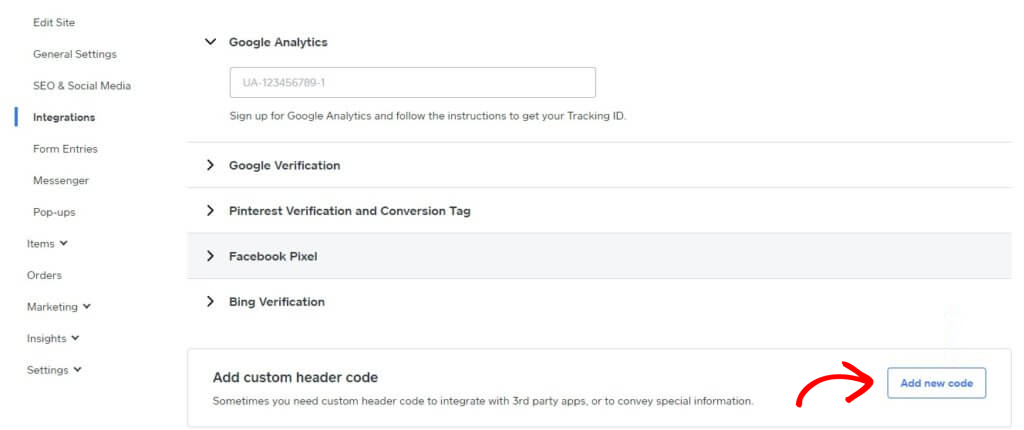
4) Στη σελίδα Ενσωμάτωσης, προσθέστε Κώδικα Προσαρμοσμένης Κεφαλίδας στο κάτω μέρος. Κάντε κλικ στο Προσθήκη Νέου Κώδικα.
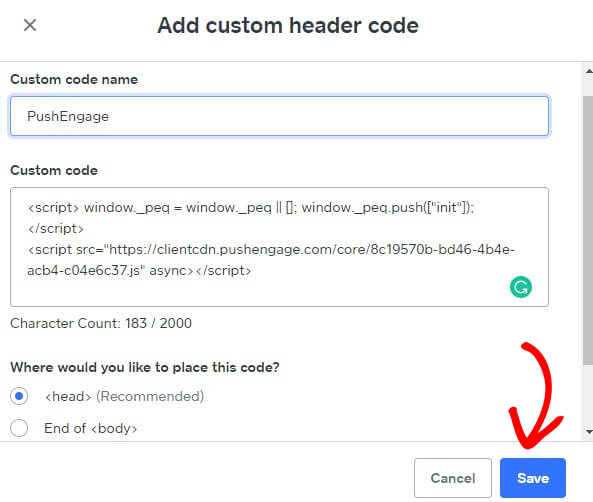
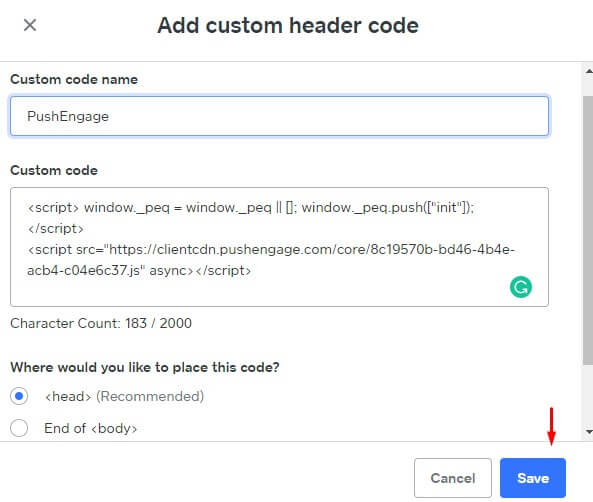
5) Επικολλήστε τον κωδικό PushEngage στην Κεφαλίδα. Μπορείτε επίσης να επιλέξετε το Τέλος του <body> για να επικολλήσετε τον κωδικό. Στην παρακάτω οθόνη, έχουμε επικολλήσει τον κώδικα javascript του PushEngage στην ενότητα υποσέλιδου. Μόλις ολοκληρωθεί, κάντε κλικ στο Αποθήκευση.
Αυτό ολοκληρώνει την ενσωμάτωση του PushEngage στον ιστότοπο Weebly. Μπορείτε τώρα να αρχίσετε να συλλέγετε συνδρομητές και να στέλνετε ειδοποιήσεις push από τον ιστότοπο Weebly.
Σε περίπτωση που αντιμετωπίσετε προβλήματα, μη διστάσετε να επικοινωνήσετε μαζί μας κάνοντας κλικ εδώ. Η ομάδα υποστήριξής μας θα μπορέσει να σας βοηθήσει.