Το Squarespace είναι η ολοκληρωμένη λύση για όποιον θέλει να δημιουργήσει έναν όμορφο ιστότοπο. Το PushEngage υποστηρίζει ιστοτόπους που βασίζονται στην πλατφόρμα Squarespace. Αν θέλετε να στείλετε ειδοποιήσεις push μέσω web από το Squarespace, τότε μπορείτε να εγκαταστήσετε το PushEngage σε λιγότερο από δέκα λεπτά.
Ακολουθούν τα βήματα που θα χρειαστεί να ακολουθήσετε –
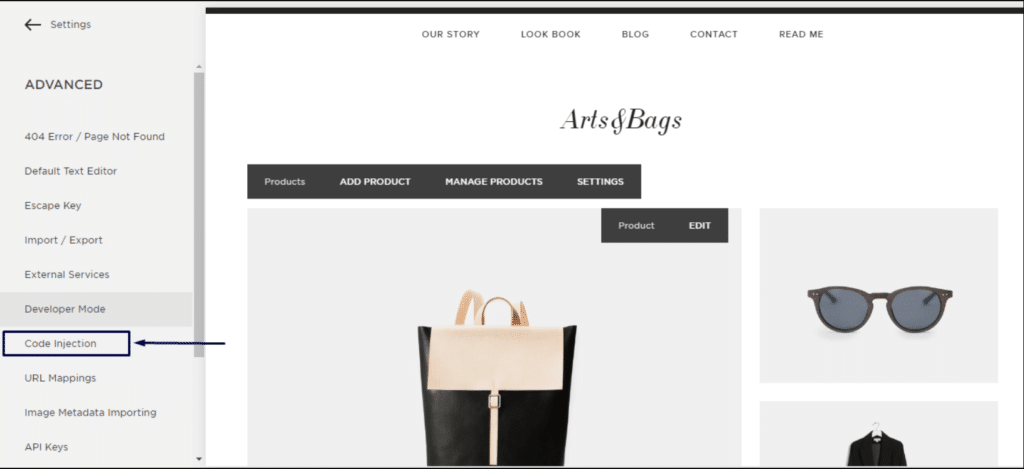
1. Συνδεθείτε στον λογαριασμό σας στο Squarespace. Μεταβείτε στις ρυθμίσεις » Advanced » developer mode » Code Injection.
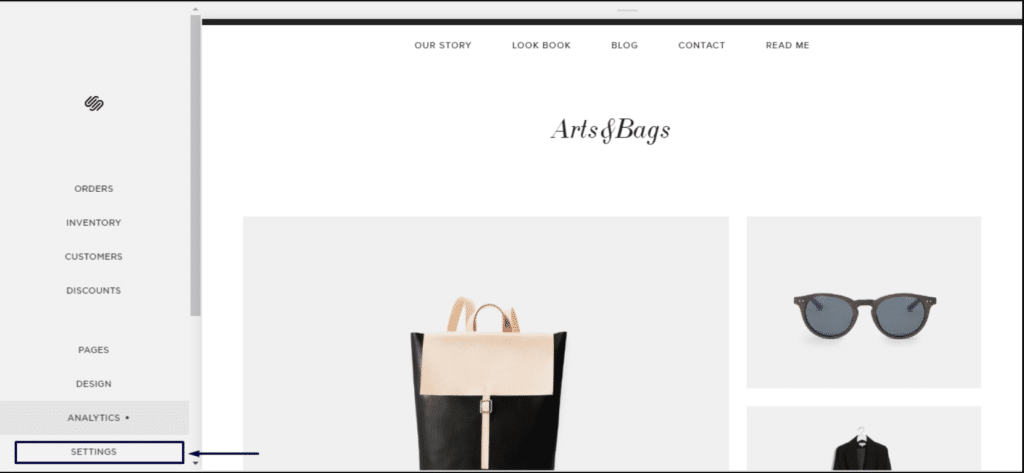
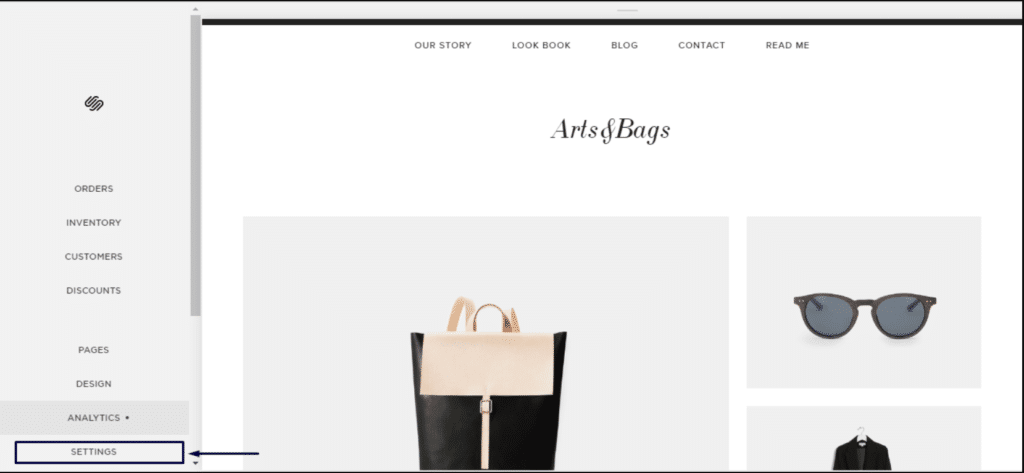
2. Κάντε κλικ στις Ρυθμίσεις για προχωρημένους.
3. Κάντε κλικ στην Εισαγωγή κώδικα.
4. Στη συνέχεια, συνδεθείτε στον Πίνακα ελέγχου του PushEngage και μεταβείτε στις Ρυθμίσεις Ιστότοπου » Εγκατάσταση
Επιλέξτε Οποιονδήποτε Ιστότοπο
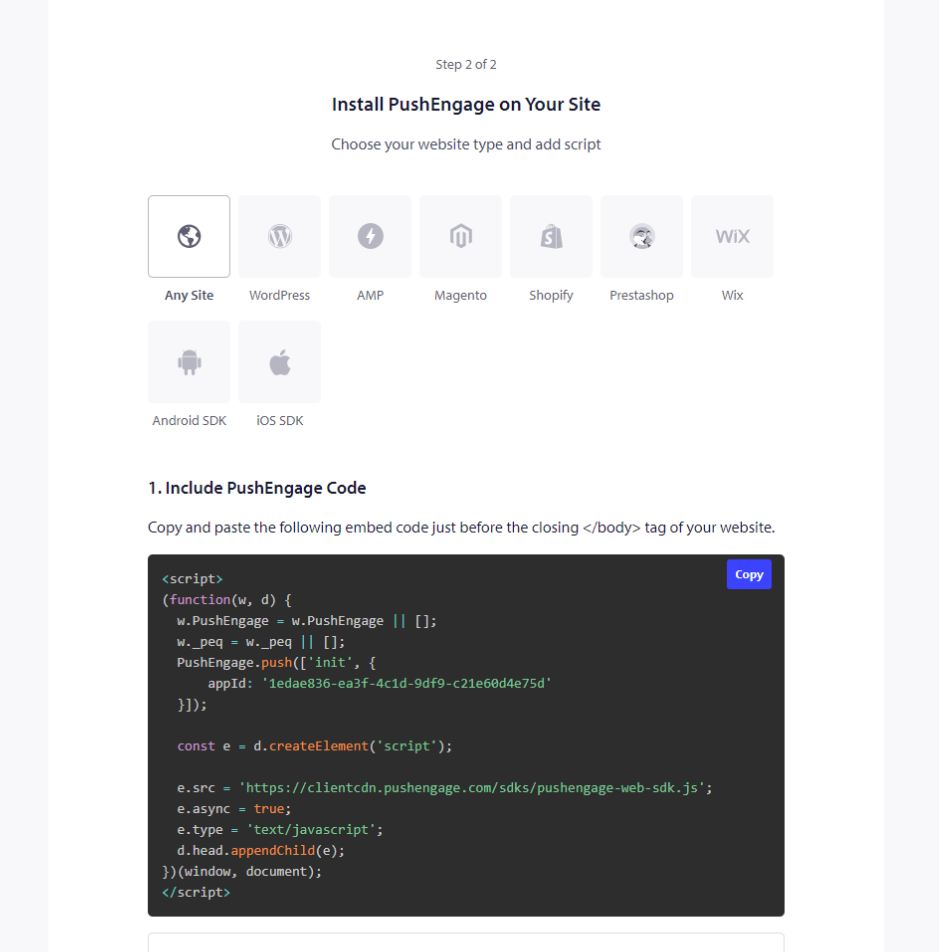
5. Αντιγράψτε τον κώδικα και επικολλήστε τον στην ενότητα κεφαλίδας του Squarespace.
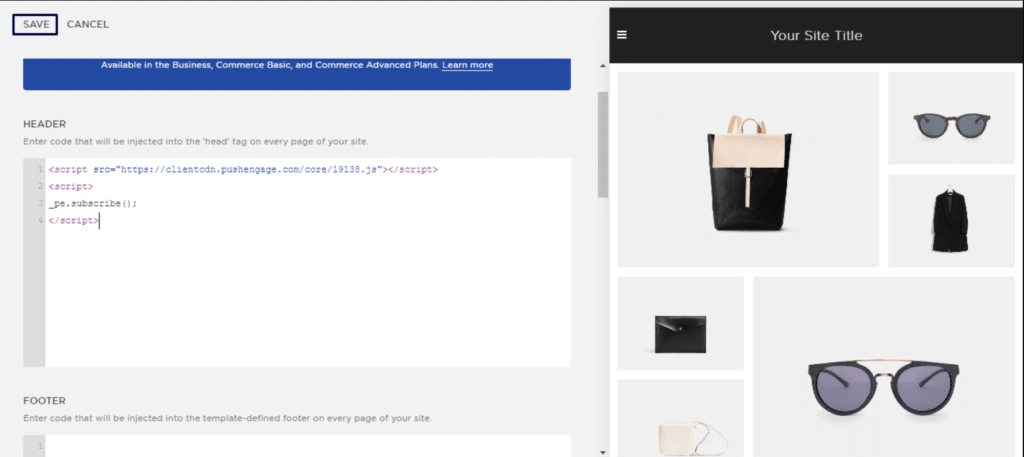
Αυτό θα ολοκληρώσει την εγκατάσταση του PushEngage στο Squarespace.
Σε περίπτωση που αντιμετωπίσετε οποιοδήποτε πρόβλημα, μη διστάσετε να επικοινωνήσετε μαζί μας κάνοντας κλικ εδώ. Η ομάδα υποστήριξής μας θα μπορέσει να σας βοηθήσει.