Η βελτιστοποίηση μέσω AI της PushEngage σάς βοηθά να δημιουργήσετε καλύτερους τίτλους και μηνύματα, οδηγώντας σε αυξημένη αλληλεπίδραση και επιτυχία καμπάνιας.
Αυτός ο οδηγός σάς καθοδηγεί στη διαδικασία δημιουργίας καμπανιών, είτε πρόκειται για μαζικές ειδοποιήσεις push, αυτόματους απαντητές drip & καμπάνιες ενεργοποίησης.
Δημιουργία Κειμένου Καμπάνιας με AI
Μπορείτε να μεταβείτε στις Καμπάνιες » Μαζικές Ειδοποιήσεις Push
Δημιουργήστε μια νέα καμπάνια ή επιλέξτε οποιαδήποτε από τα Πρότυπα. Στη συνέχεια, μπορείτε να κάνετε κλικ στο κουμπί Δημιουργία Κειμένου.
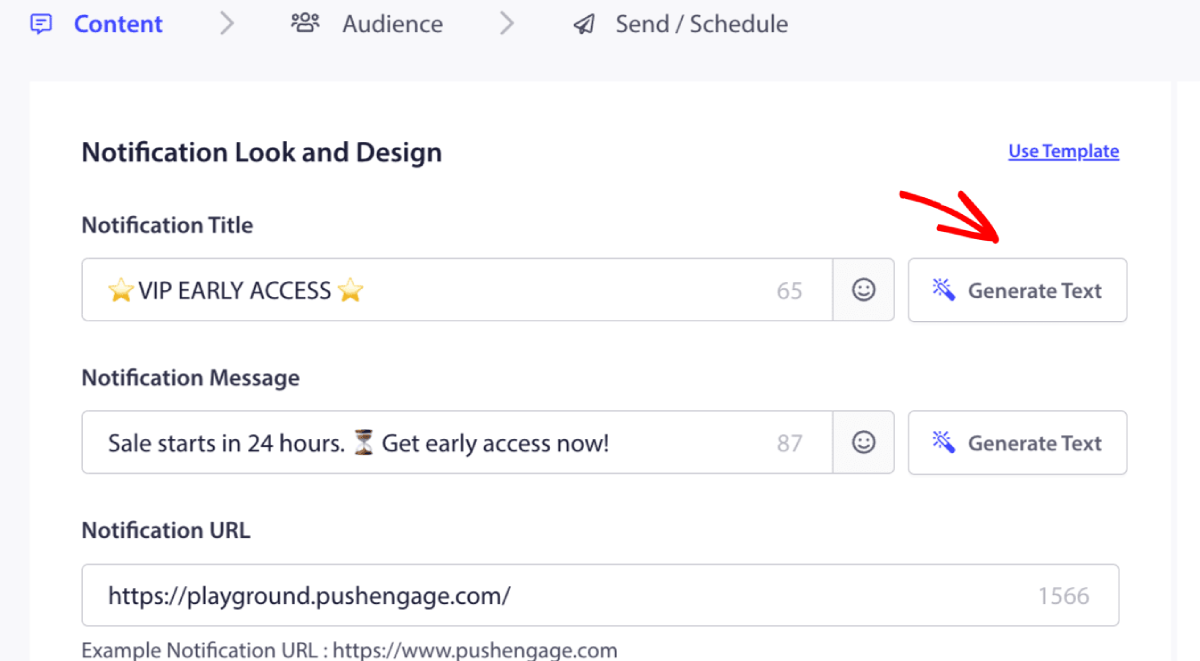
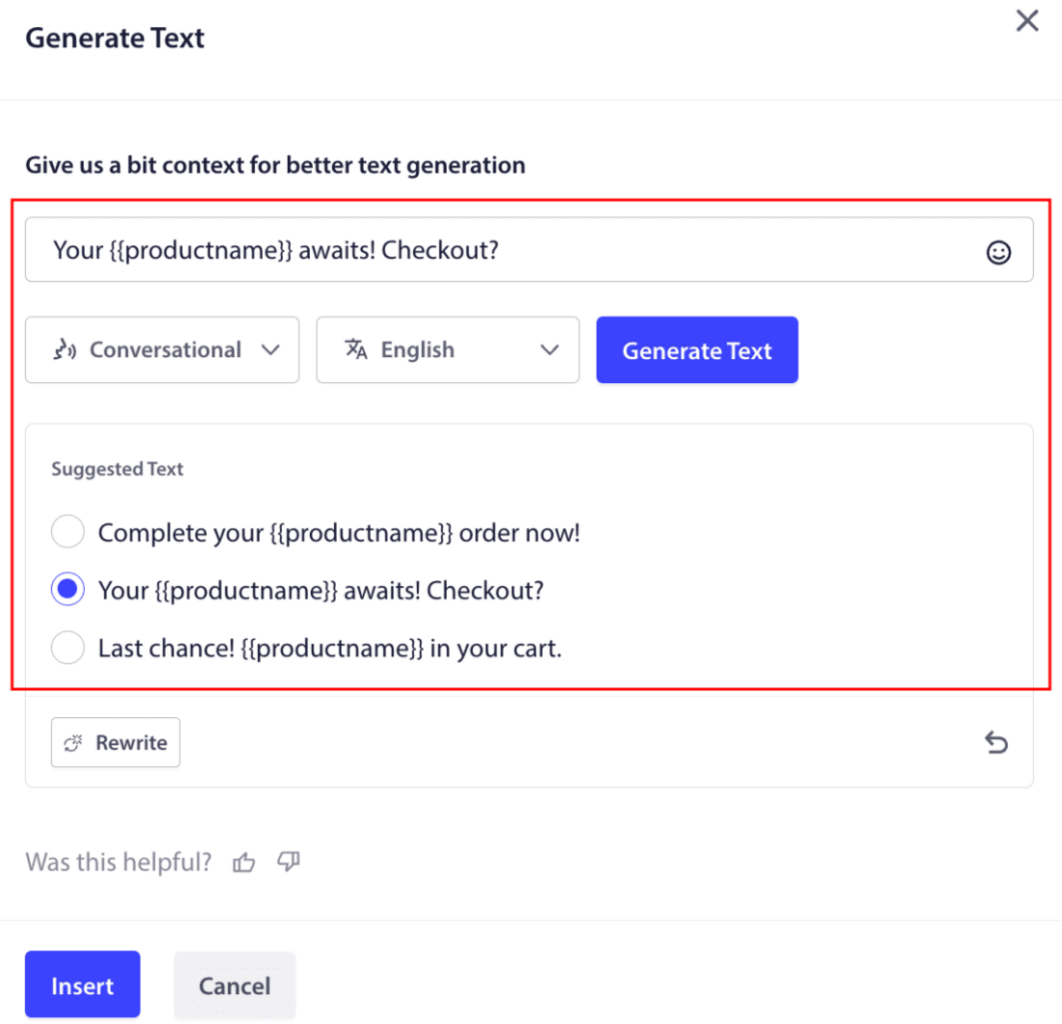
Θα ανοίξει ένα μικρό παράθυρο για τον τίτλο & το μήνυμα της ειδοποίησης. Μπορείτε να ξεκινήσετε προσθέτοντας λέξεις-κλειδιά που θα λειτουργήσουν ως προτροπή για το AI.
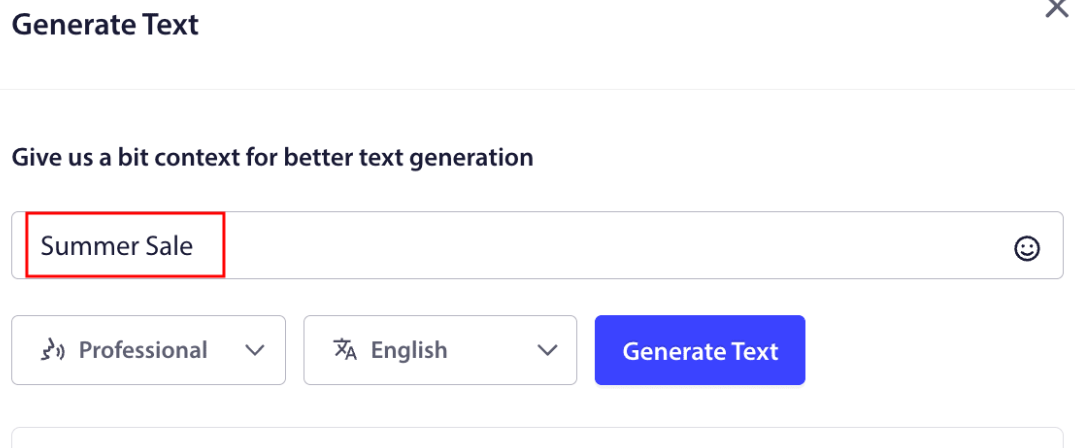
Μπορείτε επίσης να ορίσετε τον τόνο για τον τίτλο ή το μήνυμα της καμπάνιας. Ο τόνος της συνομιλίας είναι πολύ σημαντικός για να αποφασιστεί ο τύπος της καμπάνιας που θα δημιουργηθεί. Βεβαιωθείτε ότι αντηχεί το στυλ της επωνυμίας σας. Μόλις οριστεί, μπορείτε να κάνετε κλικ στο κουμπί Δημιουργία.
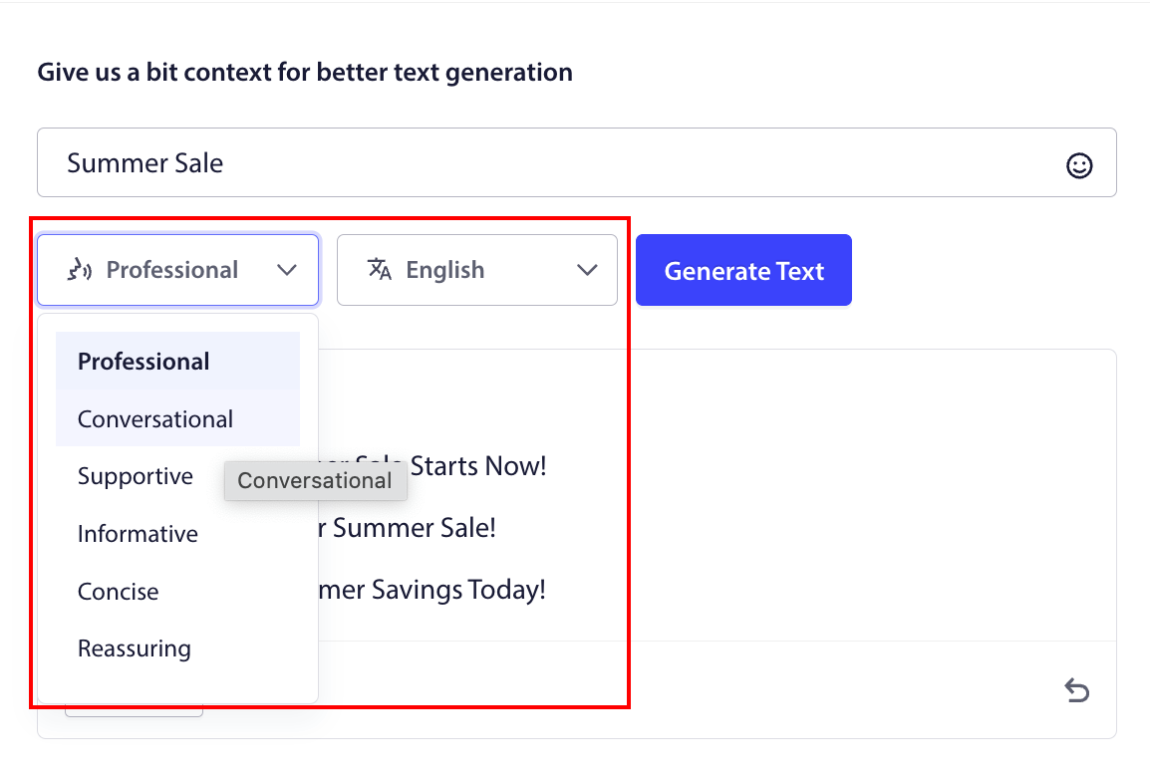
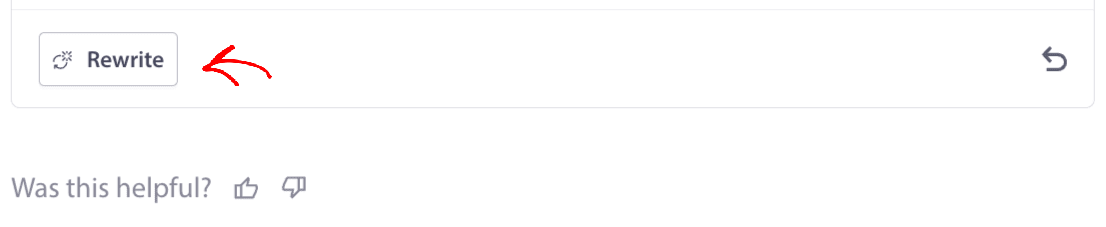
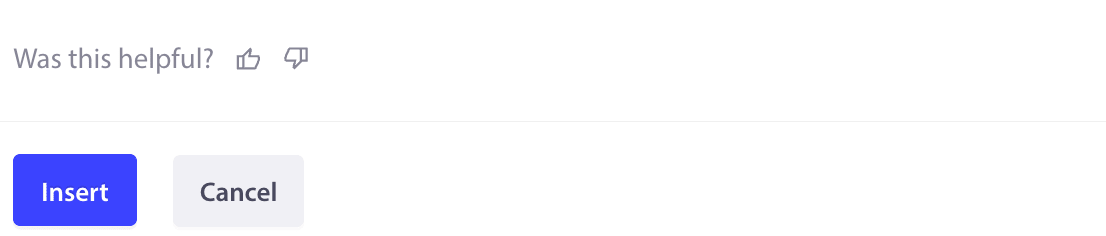
Αν δεν σας αρέσει το κείμενο που δημιουργήθηκε, μπορείτε επίσης να χρησιμοποιήσετε το κουμπί Επανεγγραφή στο κάτω μέρος.
Βεβαιωθείτε ότι δίνετε σχόλια στο AI με το κουμπί μου αρέσει ή δεν μου αρέσει, ώστε να μπορεί να εκπαιδευτεί καλύτερα στη δημιουργία του τίτλου & του μηνύματος σύμφωνα με το στυλ σας.
Μόλις επιλέξετε τον τίτλο/μήνυμα, μπορείτε να κάνετε κλικ στο κουμπί Εισαγωγή.
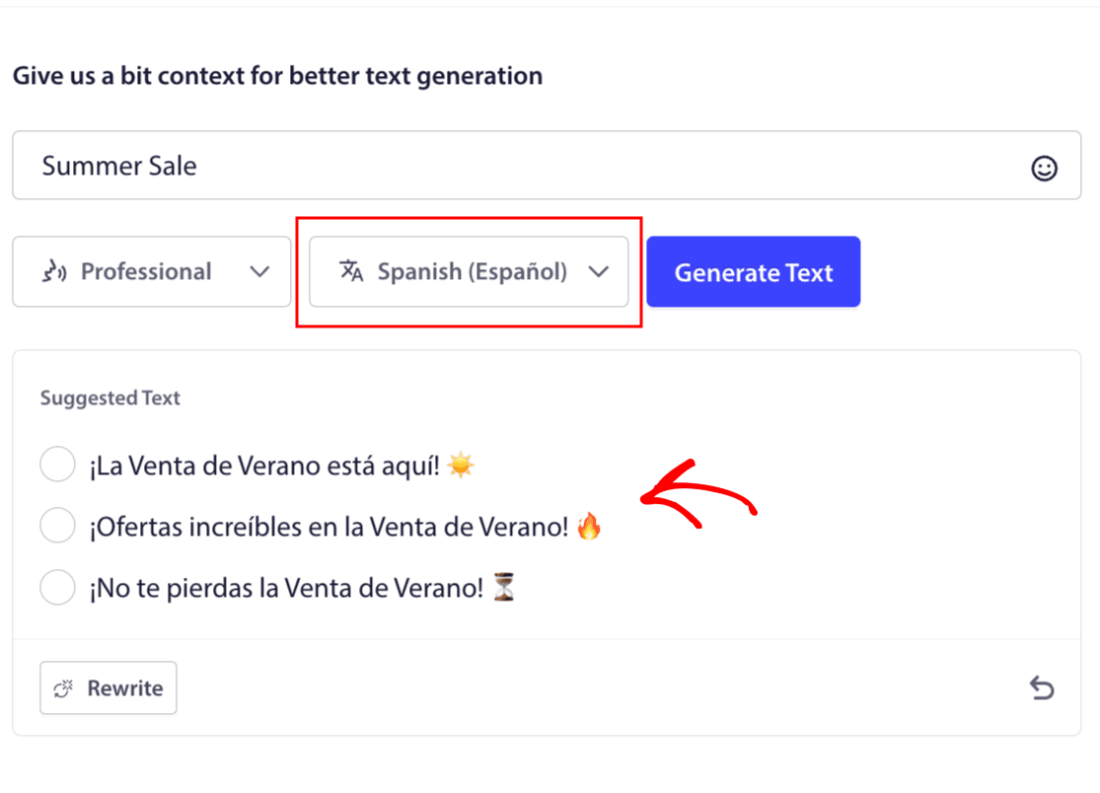
Αν θέλετε να στείλετε εξατομικευμένο περιεχόμενο για κάθε γεωγραφική τοποθεσία. Μπορείτε απλά να αλλάξετε τη γλώσσα από την αναπτυσσόμενη λίστα και τώρα μπορείτε επίσης να δημιουργήσετε κείμενο καμπάνιας στα Ισπανικά, για παράδειγμα.
Μπορείτε να χρησιμοποιήσετε AI για να βελτιστοποιήσετε οποιοδήποτε στυλ καμπάνιας στο PushEngage. Αυτό δεν περιορίζεται στις Μαζικές Ειδοποιήσεις Push, μπορείτε εύκολα να γράψετε το κείμενο της καμπάνιας με καμπάνιες Drip & Trigger όπου χρησιμοποιούνται δυναμικές μεταβλητές.
Μόλις το κείμενο της καμπάνιας σας οριστικοποιηθεί, είστε έτοιμοι να προγραμματίσετε τις καμπάνιες ή τα μηνύματα Drip σας πιο αποτελεσματικά. Αν ρυθμίζετε καμπάνιες για πρώτη φορά, ανατρέξτε σε αυτόν τον οδηγό για την αποστολή μαζικών ειδοποιήσεων push.
Αγορά Πιστώσεων
Οι Πιστώσεις AI απαιτούνται για τη χρήση της δημιουργίας κειμένου μέσω AI σε οποιοδήποτε επί πληρωμή πρόγραμμα PushEngage. Μπορείτε εύκολα να αγοράσετε πιστώσεις ξεκινώντας από 10$ για 5000 πιστώσεις.
Μπορείτε να μεταβείτε στη Σελίδα Χρεώσεων και να κάνετε κλικ στην Αγορά Πιστώσεων AI
Παρακαλώ κάντε κύλιση προς τα κάτω στην Ενότητα Πιστώσεων AI και, στη συνέχεια, προσθέστε την ποσότητα που θέλετε να αγοράσετε.
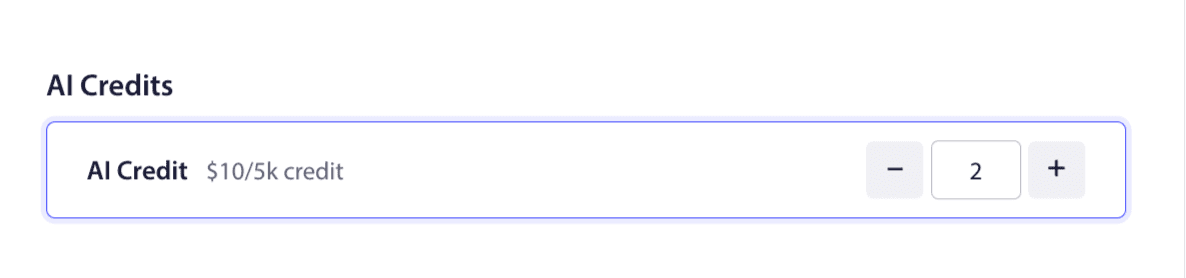
Μόλις ολοκληρωθεί αυτό, μπορείτε να προχωρήσετε στη Χρέωση και να ολοκληρώσετε την πληρωμή. Οι Πιστώσεις AI θα ενεργοποιηθούν στον λογαριασμό σας. Μπορείτε εύκολα να διαχειριστείτε τη χρήση και να ελέγξετε τις χρησιμοποιημένες πιστώσεις σε αυτήν τη σελίδα.
Εάν αντιμετωπίσετε οποιοδήποτε πρόβλημα, παρακαλώ επικοινωνήστε μαζί μας κάνοντας κλικ εδώ. Η ομάδα υποστήριξής μας θα μπορέσει να σας βοηθήσει.