Οι καμπάνιες Drip ή οι Drip Autoresponders είναι μια νέα έννοια στις Ειδοποιήσεις Web Push. Θα προσπαθήσουμε να κάνουμε το έργο ευκολότερο και να περιγράψουμε συγκεκριμένα βήματα για να τις εκτελέσετε στο PushEngage.
Μπορείτε να ενεργοποιήσετε μια καμπάνια Αυτόματου Αποστολέα Ειδοποιήσεων Push Ιστού και να την στείλετε σε όλους τους εγγεγραμμένους χρήστες ή σε μια λίστα/τμήμα χρηστών στο PushEngage. Για να τμηματοποιήσετε τους χρήστες σας σε συγκεκριμένες λίστες, αυτό μπορεί να συμβεί σε συγκεκριμένες σελίδες ή όταν ο χρήστης εγγράφεται συγκεκριμένα σε ένα πρόγραμμα σπουδών ειδοποιήσεων.
Πώς να Χρησιμοποιήσετε Καμπάνιες Drip στις Ειδοποιήσεις Push Ιστού;
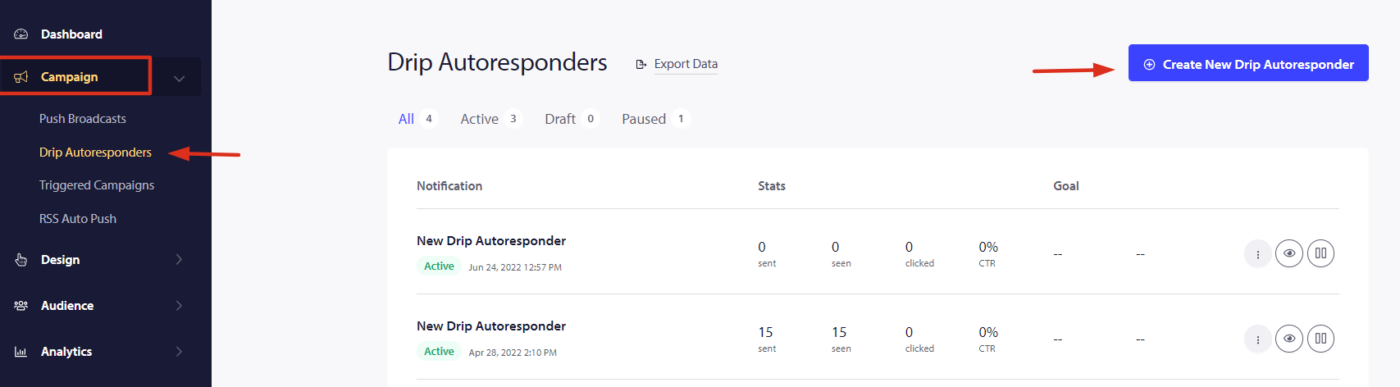
Βήμα 1 – Συνδεθείτε στον πίνακα ελέγχου του PushEngage και μεταβείτε στο Campaign > Drip Autoresponder. Κάντε κλικ στο “Create New Drip Autoresponder”.
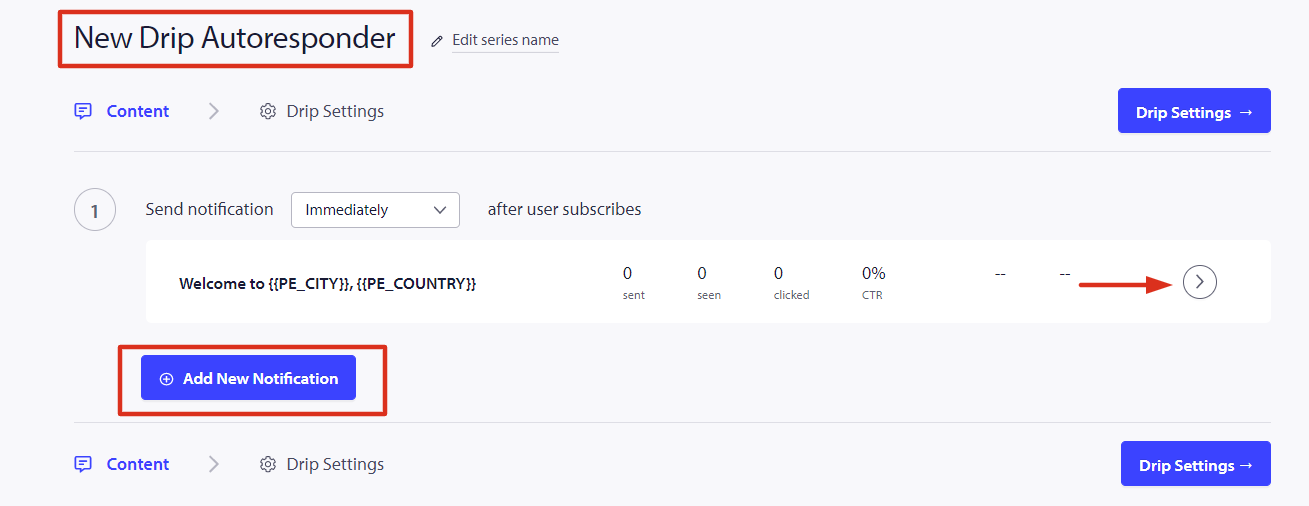
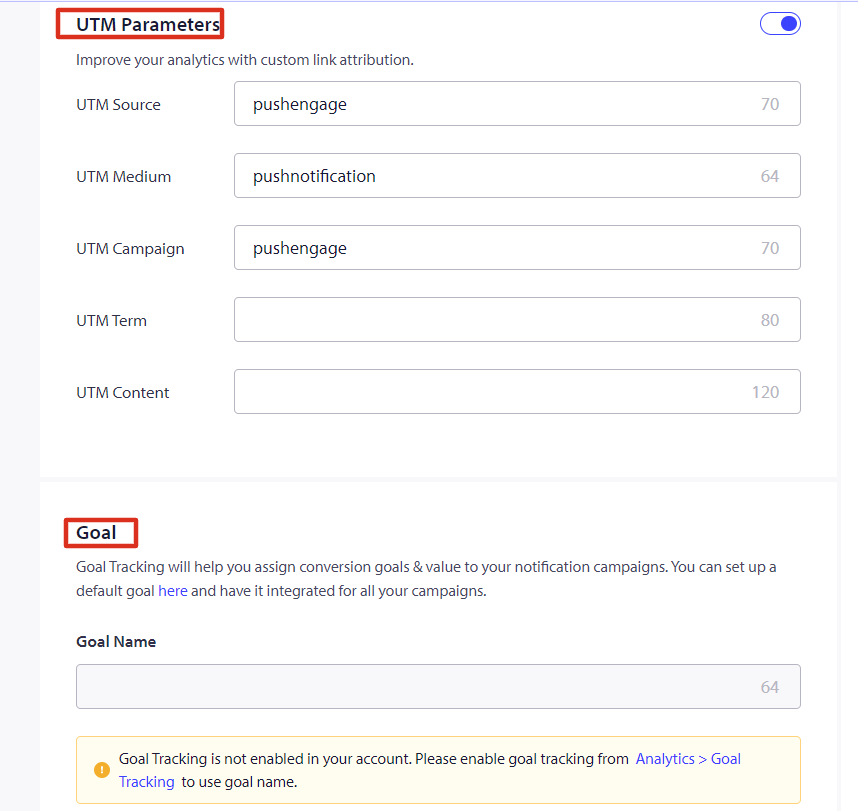
Βήμα 2 – Τώρα Δημιουργήστε τη Σειρά Αυτόματου Αποστολέα και διαμορφώνουμε τις μεταβλητές UTM για παρακολούθηση.
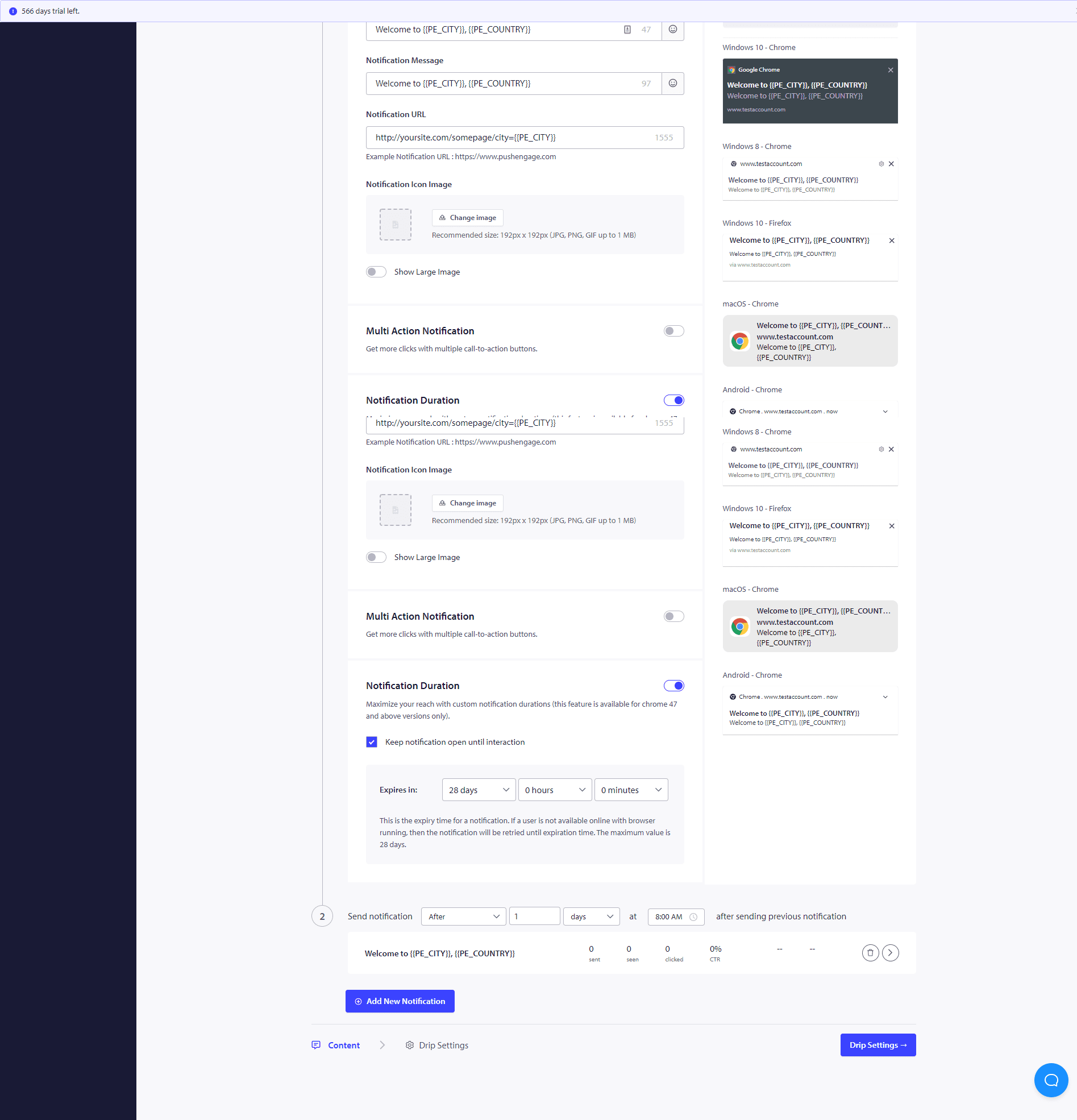
Βήμα 3 – Ορίστε την Καθυστέρηση – Τώρα Δημιουργήστε τη σειρά Ειδοποιήσεων που θα αποσταλούν μετά από 10 λεπτά ή 1 ώρα και μετά από 1 ημέρα ως παράδειγμα.
Μόλις ολοκληρώσετε αυτές τις Καμπάνιες Drip, θα σας ενδιαφέρει να δείτε πώς αποδίδει κάθε στάδιο της ειδοποίησης. Για αυτό, επισκεφθείτε το Autoresponder Analytics και κάντε κλικ στην Καμπάνια Drip που μόλις δημιουργήσατε.
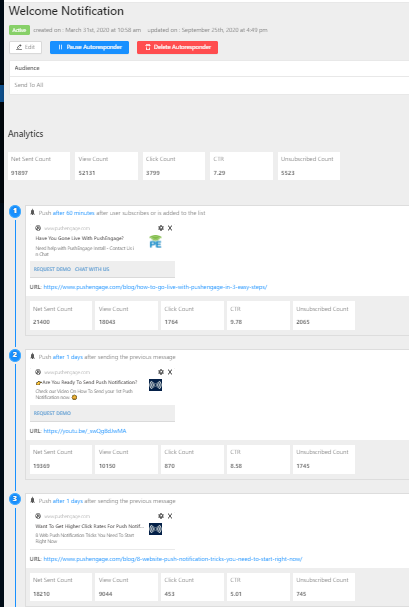
Ο αυτόματος αποστολέας drip σας είναι έτοιμος τώρα. Αυτό είναι, καθίστε αναπαυτικά και παρακολουθήστε την αύξηση της επισκεψιμότητας και τους επισκέπτες να αλληλεπιδρούν και να επιστρέφουν στον ιστότοπό σας με τις καμπάνιες Drip.
Πώς να Εξατομικεύσετε την Καμπάνια Drip;
Για να εξατομικεύσετε το drip ή αν επιθυμείτε να το στείλετε σε μια συγκεκριμένη ομάδα ατόμων/τμήμα ή σε γεωγραφική τοποθεσία, μπορείτε να επιλέξετε το σχετικό όνομα τμήματος ή τη γεωγραφική τοποθεσία που επιθυμείτε να ειδοποιήσετε από την αναπτυσσόμενη λίστα.
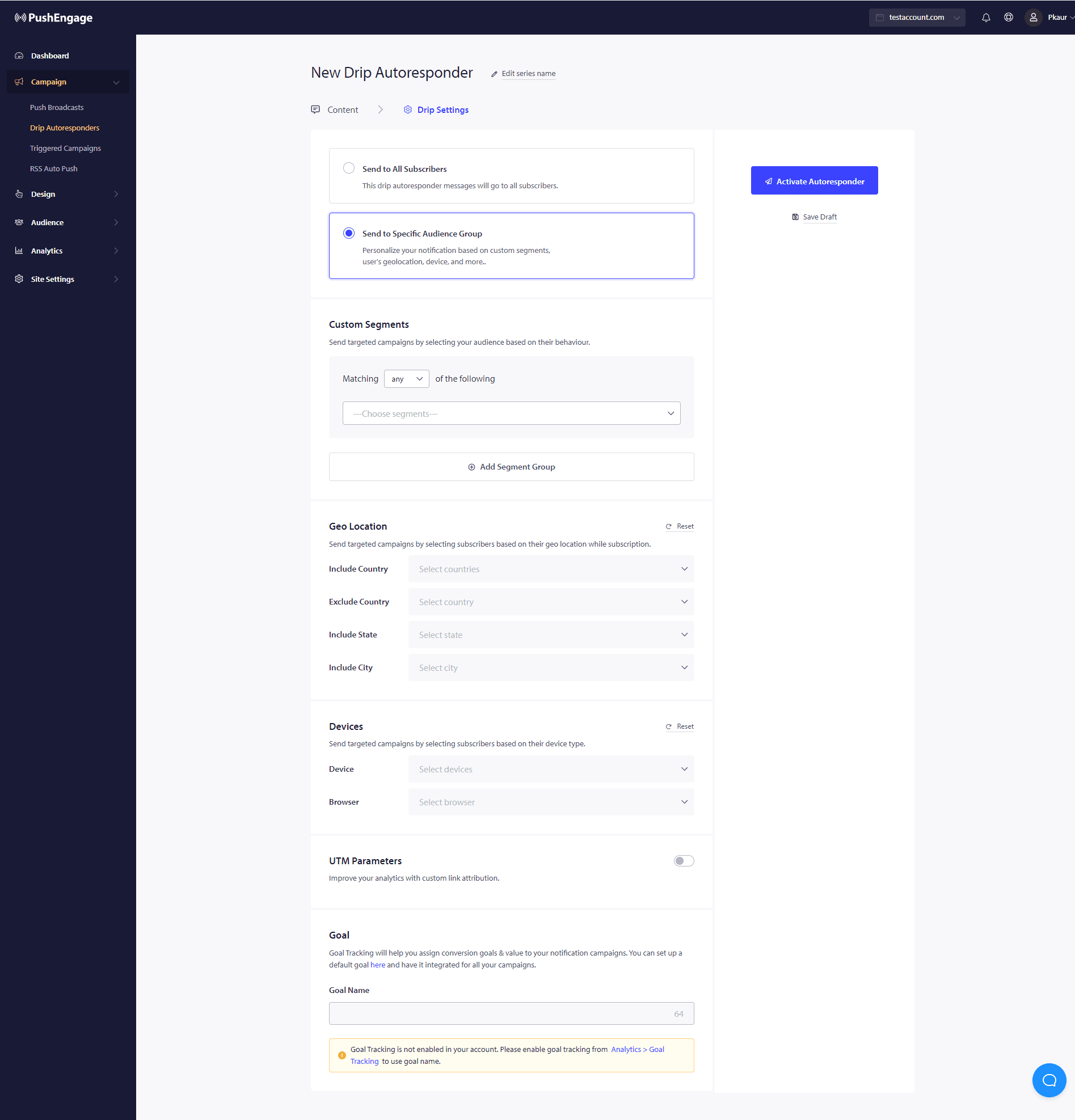
Επιπλέον, αυτή η καμπάνια μπορεί να χρησιμοποιηθεί για τη δημιουργία καμπανιών εγκατάλειψης φόρμας, καλαθιού και εγκατάλειψης περιηγητή χρησιμοποιώντας ειδοποιήσεις drip.
Σε περίπτωση που αντιμετωπίσετε προβλήματα, μη διστάσετε να επικοινωνήσετε μαζί μας κάνοντας κλικ εδώ. Η ομάδα υποστήριξής μας θα μπορέσει να σας βοηθήσει.