### [Segmenting Shopify Subscribers by Purchase History](https://www.pushengage.com/documentation/segmenting-shopify-subscribers-by-purchase-history/)
**Published:** June 12, 2026
**Author:** Ayushi Dubey
**Content:**
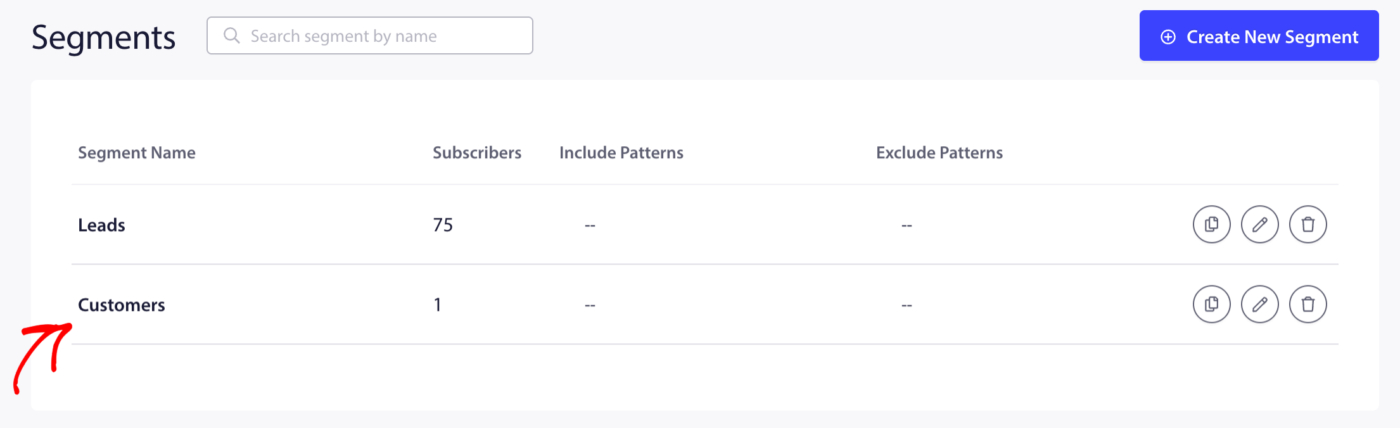
PushEngage automatically creates two segments when you install the Shopify app: **Customers** (subscribers who have purchased) and **Leads** (subscribers who have not). Beyond these defaults, you can create custom segments based on specific purchase behavior – such as what a subscriber bought, how much they spent, or how recently they purchased using dynamic segmentation.
This guide covers the default segments and how to build custom purchase-based segments using PushEngage’s dynamic segmentation.
### Before You Start
- PushEngage is installed on your Shopify store with active push subscribers.
- The Customers and Leads segments are enabled. See [Understanding Default Shopify Segmentation and Audience Groups](https://www.pushengage.com/documentation/understanding-default-shopify-segmentation-and-audience-groups/) if they are not.
- Custom purchase-based segments require adding a JavaScript snippet to your Shopify theme’s order confirmation page. This is a one-time setup.
### Default Segments: Customers and Leads
The two auto-created segments cover the broadest purchase split.
SegmentWho it includesBest used for**Customers**Subscribers who have completed at least one purchaseLoyalty offers, repeat purchase campaigns, review requests**Leads**Subscribers who have not yet purchasedFirst-purchase welcome drip, first-order discount, product discoveryThese segments update automatically. A subscriber moves from Leads to Customers as soon as they complete their first order.
To view them, go to **Audience » Segments** in your PushEngage dashboard.
### Building Custom Purchase-Based Segments
For more precise targeting, you can create segments that group subscribers by specific purchase behaviors. These use PushEngage’s dynamic segmentation feature, which adds subscribers to a segment when a defined event occurs on your store.
#### Step 1: Create the Segment in PushEngage
1. Go to **Audience » Segments**.
2. Click **Create a New Segment**.
3. Enter a descriptive name.
4. Click **Save Segment** (leave URL patterns blank — this segment will be populated by event, not by page visit).

#### Step 2: Add the Tracking Snippet to Your Shopify Theme
Once the segment is created, you need to fire the PushEngage segment API on the Shopify order confirmation page (also called the Thank You page) when a qualifying purchase occurs.
The JavaScript snippet looks like this:
```
window._peq.push(["add-to-segment", "Segment Name"]);
```
For dynamic segments (where you want the subscriber to leave the segment after a set number of days):
```
window._peq.push(["add-to-dynamic-segment", "Segment Name", 30]);
```
The number `30` is the number of days the subscriber stays in the segment before being removed automatically.
To add this to Shopify, go to **Settings » Checkout » Order status page** in your Shopify admin and paste the snippet in the **Additional scripts** field, wrapped in a condition to fire only on completed orders.
> **Note:** If you need help placing this snippet, [contact our support team](https://www.pushengage.com/contact-us/?utm_source=website&utm_medium=helpdocs&utm_campaign=contact-us).
### Recommended Purchase-Based Segments
#### Recent Buyers (Dynamic, 30 Days)
Subscribers who completed a purchase in the last 30 days. Use this segment to exclude recent buyers from acquisition campaigns so they do not receive a first-purchase discount they no longer need.
```
window._peq.push(["add-to-dynamic-segment", "Recent Buyers", 30]);
```
#### Repeat Buyers
Subscribers who have placed more than one order. Fire this segment on the second order confirmation.
```
window._peq.push(["add-to-segment", "Repeat Buyers"]);
```
Use case: Send exclusive loyalty discounts or early-access product announcements.
#### High Value Customers
Subscribers whose order total exceeds a threshold (for example, over $100). Use your Shopify theme’s Liquid variables to conditionally fire this segment.
```
{% if order.total_price > 10000 %}
{% endif %}
```
(In Shopify Liquid, prices are in cents — 10000 = $100.)
Use case: VIP-only campaigns, early sale access, premium product launches.
#### Category Buyers
Subscribers who purchased from a specific product type or collection. Fire this segment when the order contains a product tagged with a particular category.
```
{% for line_item in order.line_items %}
{% if line_item.product.type == "Skincare" %}
{% endif %}
{% endfor %}
```
Use case: Send targeted new arrivals or restocks relevant to what each subscriber has already bought.
### Using Segments When Sending Campaigns
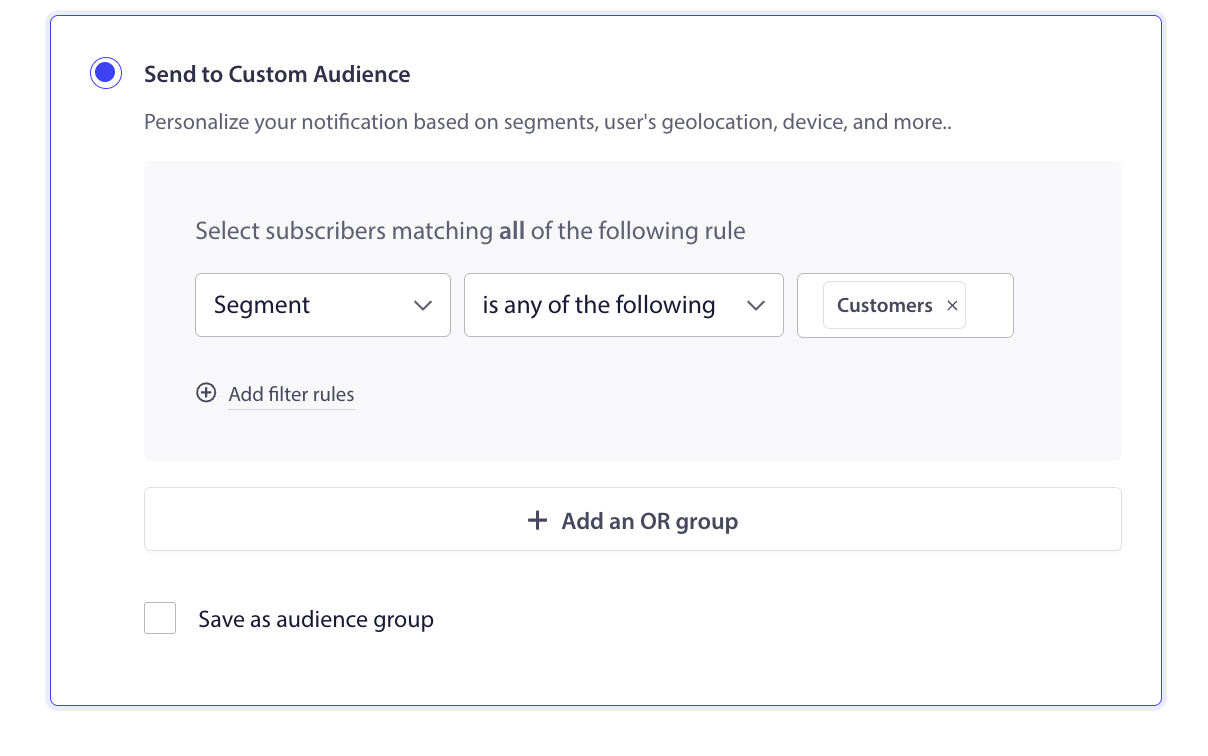
Once subscribers are in your segments, select them when creating any campaign type.
**For Push Broadcasts:**
1. Go to **Campaigns » Push Broadcasts » Create New Push Broadcast**.
2. In the **Audience** tab, select **Segment** and choose from the dropdown.
**For Drip Autoresponders:**
1. In the campaign editor, navigate to the **Audience** section.
2. Select the target segment.
**For Audience Groups:** Combine a purchase segment with other criteria like geography or device. Go to **Audience » Audience Group** to build a group. See [Understanding Default Shopify Segmentation and Audience Groups](https://www.pushengage.com/documentation/understanding-default-shopify-segmentation-and-audience-groups/) for full instructions.
### Segment Use Cases Reference
SegmentCampaignGoalLeadsFirst-purchase welcome drip with discountConvert first-time subscriber to buyerRecent Buyers (30 days)Exclude from acquisition campaignsAvoid offering discounts to people who just paid full priceRepeat BuyersLoyalty reward or VIP early accessReward and retain your best customersHigh Value CustomersExclusive product launch or premium offerDrive revenue from your highest-intent audienceCategory BuyersTargeted new arrival or restock alertIncrease relevance and click rates### Frequently Asked Questions
**Do custom segments update automatically?** Dynamic segments update automatically based on the snippet firing and the duration you set. Static segments (without a duration) only add subscribers and do not remove them automatically.
**Can a subscriber be in multiple segments at once?** Yes. A subscriber can be in Customers, Repeat Buyers, and High Value Customers all at the same time.
**What if I cannot edit my Shopify theme?** If you do not have theme access, you can ask your developer to add the snippet or contact our support team for help.
**Are segments available on all plans?** Basic segments (Customers, Leads) are available on all plans. Custom segments and dynamic segments are available on Growth plans and above.
If you run into any issues, please feel free to [contact us](https://www.pushengage.com/contact-us/?utm_source=website&utm_medium=helpdocs&utm_campaign=contact-us) by clicking here. Our support team will be able to help you.
**Doc Categories:** Shopify
---